
The app for private tutors that bills every lesson.
Tutello is a scheduling and invoicing app for tutors in the UAE. Book the weekly lessons once, mark each one done, and send the invoice on WhatsApp or by email. Parents see the schedule and the balance in a read-only portal, so nobody has to ask what is owed.
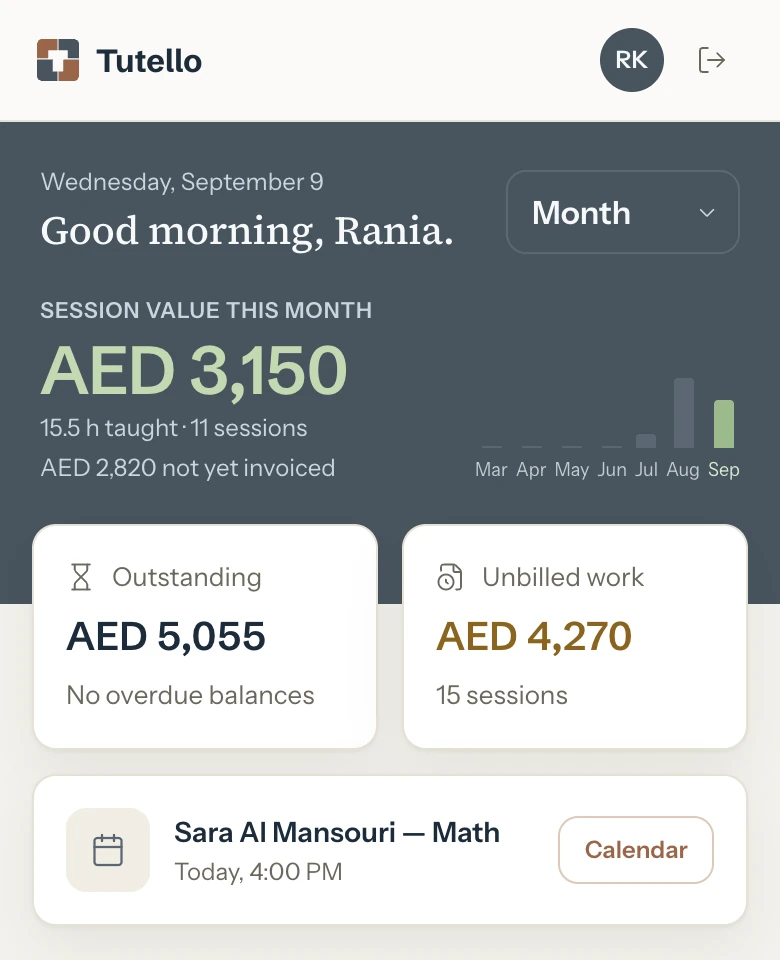
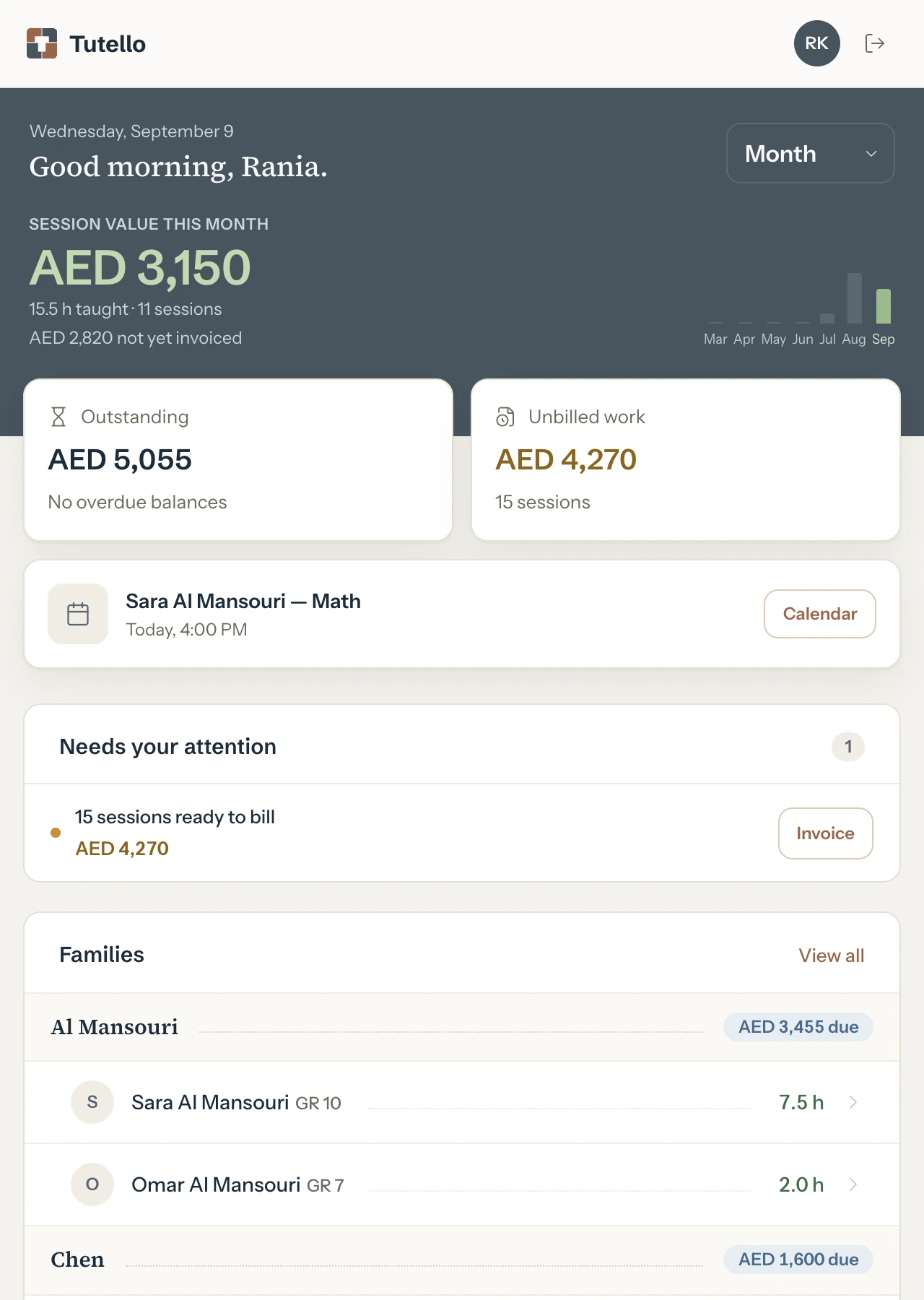
How do I keep track of tutoring lessons and payments?
Let the calendar do the billing. A week comes down to three steps, and every amount is worked out from the lessons.
How do I set up weekly lessons?
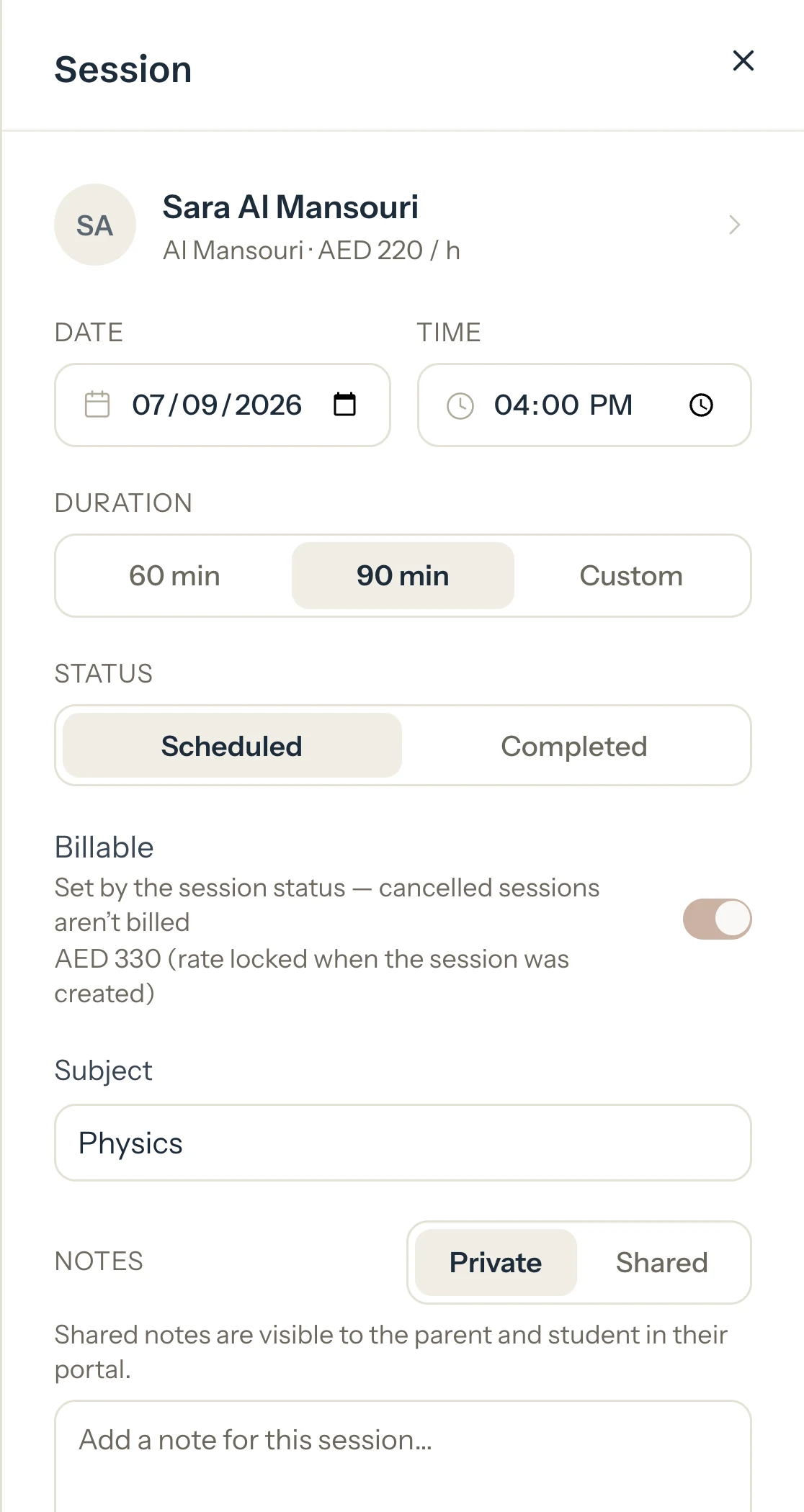
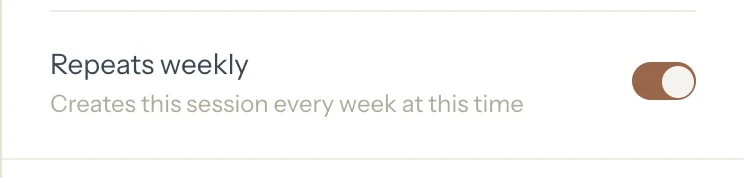
Add the lesson once and switch on Repeats weekly. Tutello keeps your calendar filled four weeks ahead. Each lesson keeps the rate it was booked at, so raising your price in January never changes what December cost. On your phone, tap a day to see it hour by hour, and tap an empty hour to add a lesson.
What do I mark after each lesson?
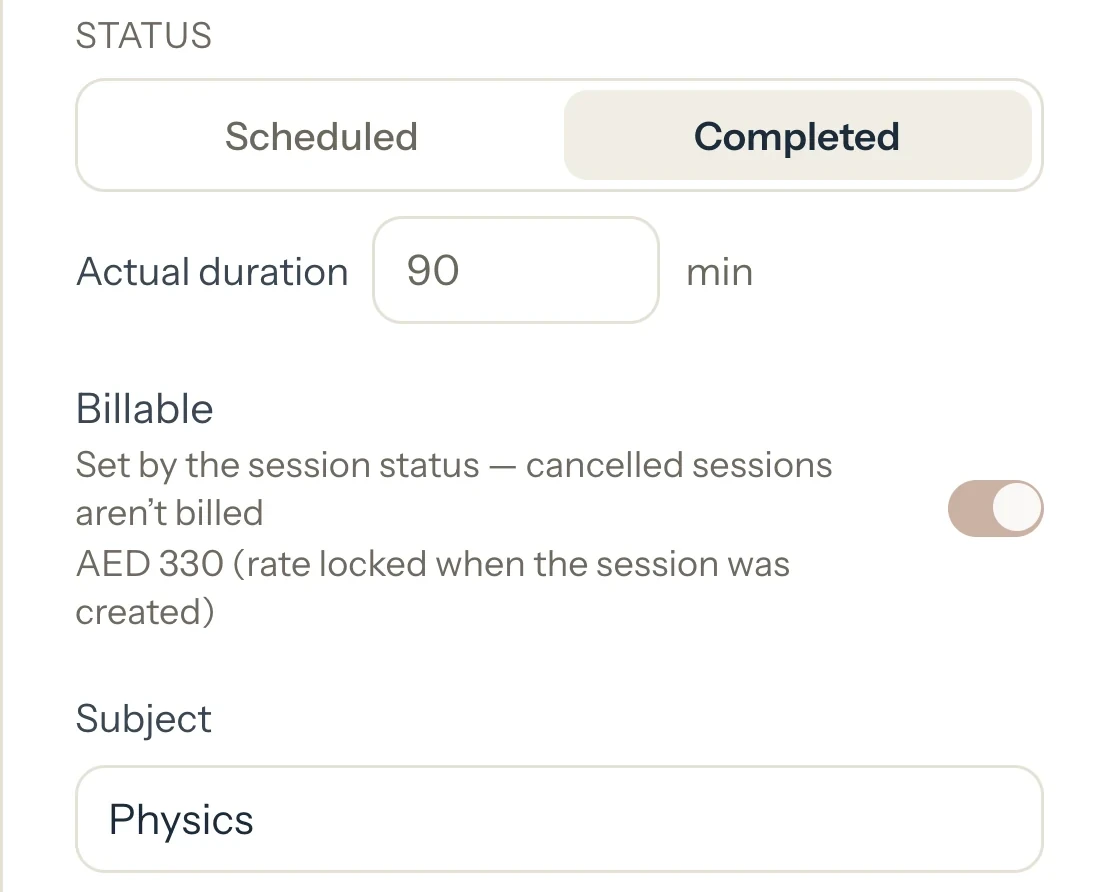
Mark it Completed and it is billed for the minutes you taught. Paid in cash at the door? Choose Completed & paid, and the invoice and the cash payment are saved together. If a student cancels inside your late cancellation window (24 hours unless you change it), the lesson is billed at its booked length, the same as a no-show. To let one go, press Waive fee.
How do I send invoices to parents?
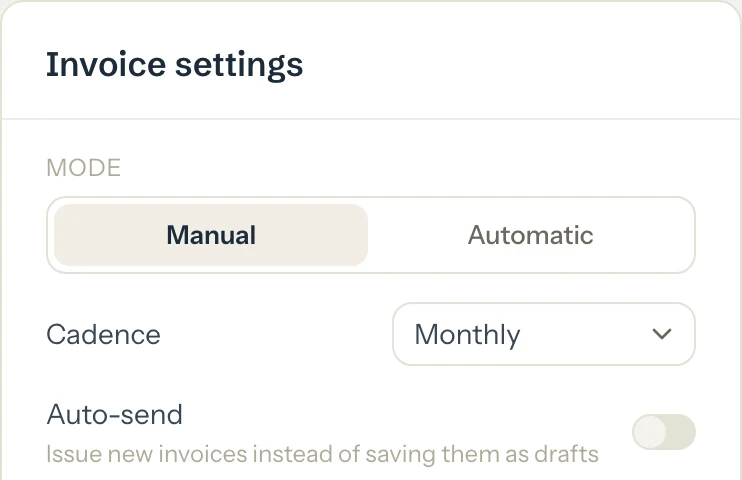
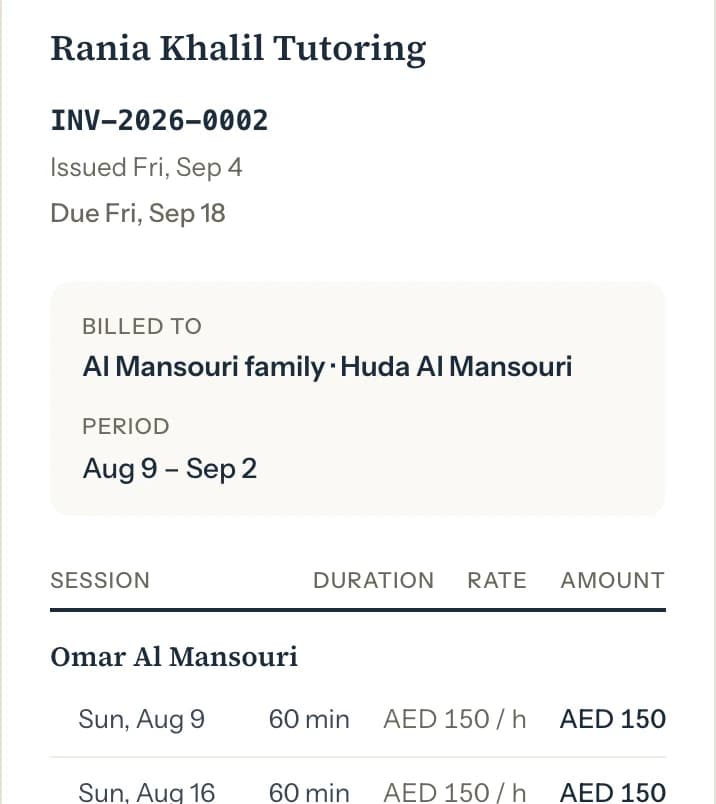
Pick the lessons and press Save: the invoice is numbered and appears in the parent's portal. Any invoice goes out when you choose: share the PDF on WhatsApp, or email it from the invoice. Paid already? Mark it paid as you save it. Or set a family to automatic invoicing, per session, weekly, biweekly or monthly. With Auto-send on, automatic invoices are emailed with their PDF. Without it, they wait as drafts for you to check. A lesson is never billed twice.
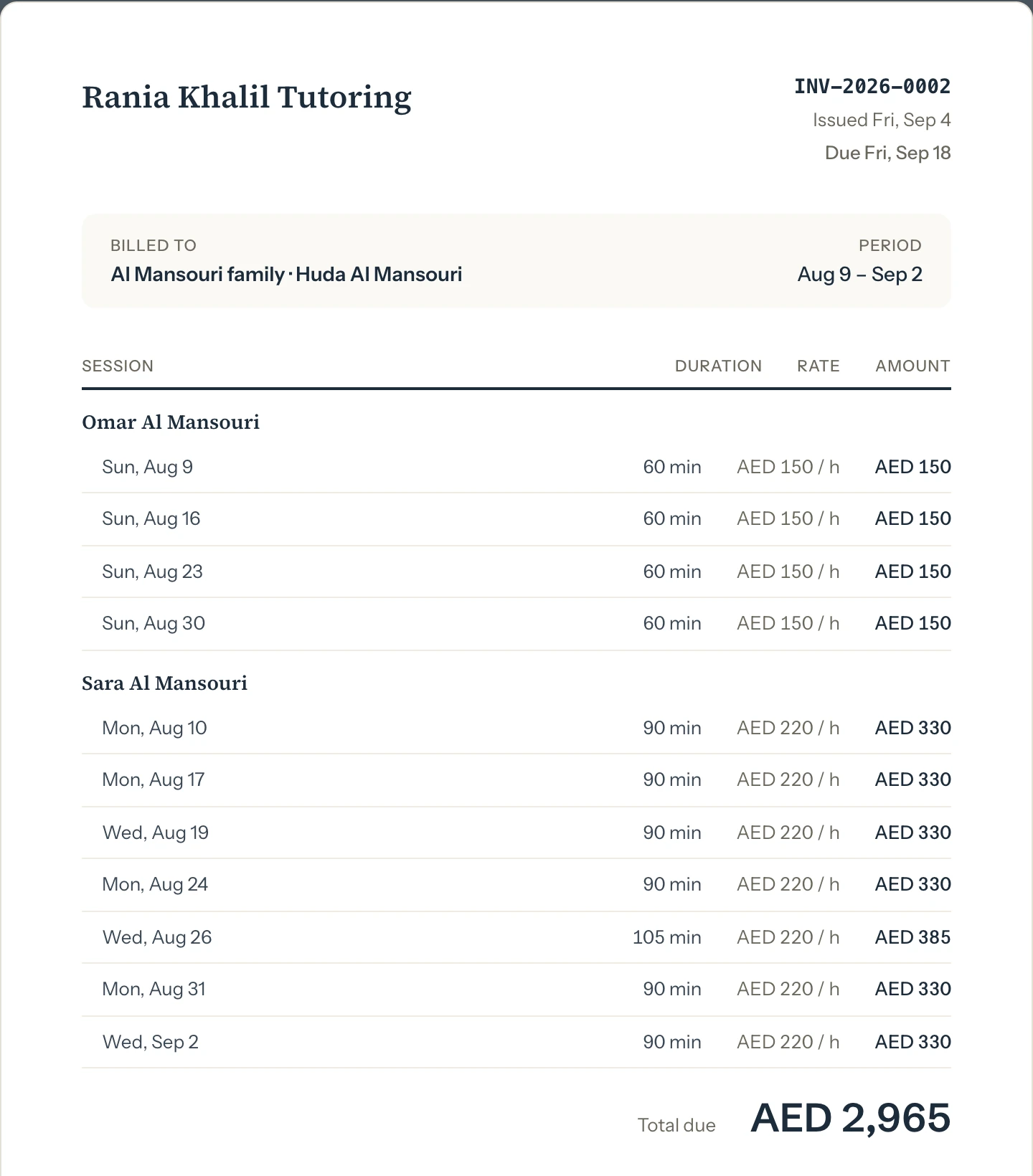
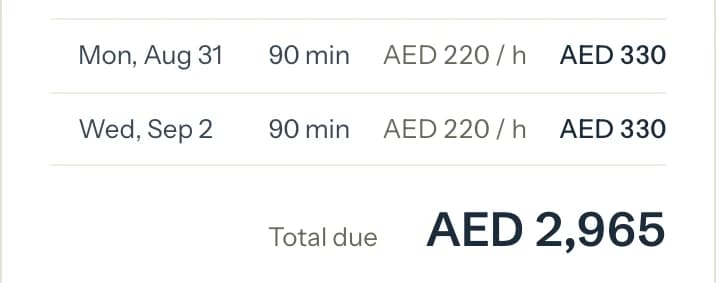
How do I collect tuition fees without chasing parents?
Send the invoice as soon as the lessons are done, and let parents check their own balance.
- Who owes you
- The dashboard lists overdue invoices with how many days late they are, and shows how many lessons you taught are not invoiced yet, with their total.
- On WhatsApp
- Share the invoice PDF from your phone to WhatsApp, and copy a short message to send with it.
- By email
- Email any issued invoice from its page, or switch on Auto-send so automatic invoices email themselves.
- When money arrives
- Record cash, bank transfer, card, cheque or other. The family's balance, and what the parent sees in the portal, update at once.
- Your call
- Nothing is emailed to a parent unless you send it or switch on Auto-send.
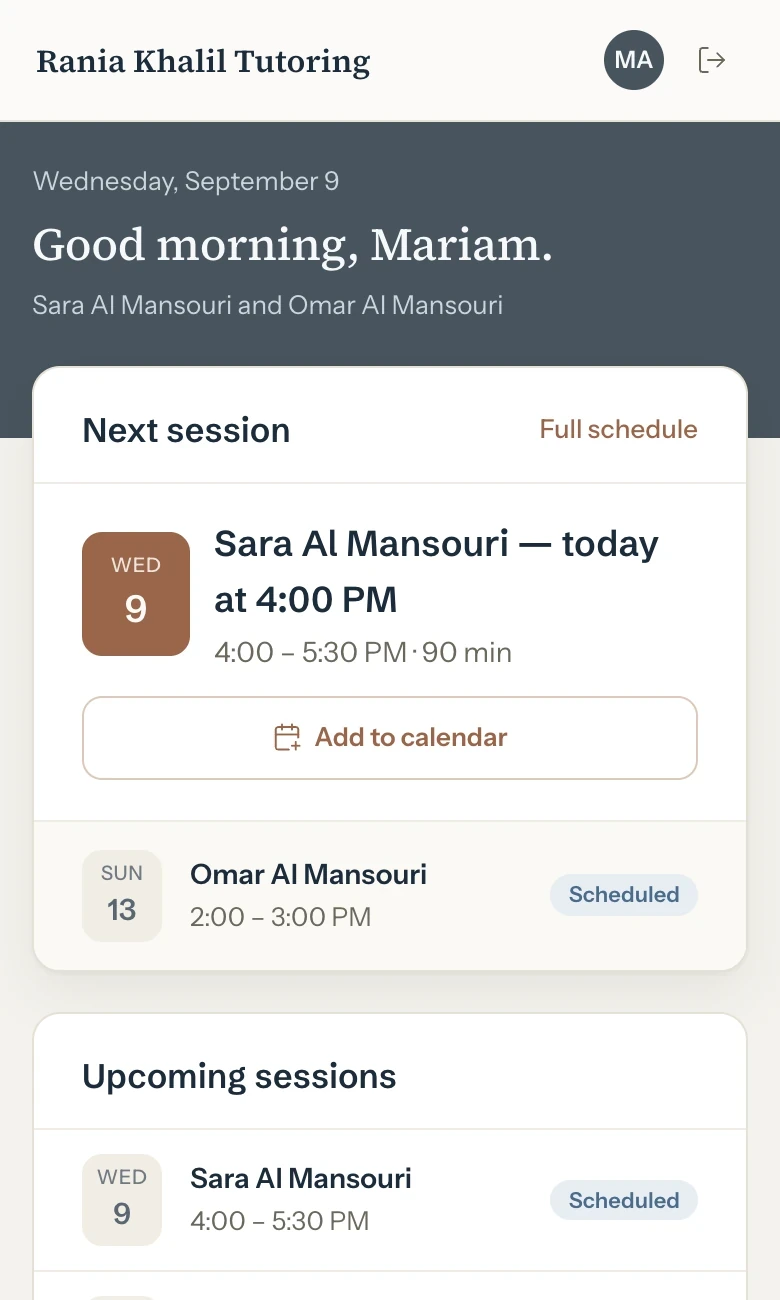
What do parents see? The schedule and the balance.
Parents also see every invoice you issue and every payment. Students in a family see only their own lessons and the notes you share, never an amount. Each gets an invite link on WhatsApp or by email and signs in with Google or an email link, with no password. Nobody can book, cancel or pay here, so nothing changes behind your back.
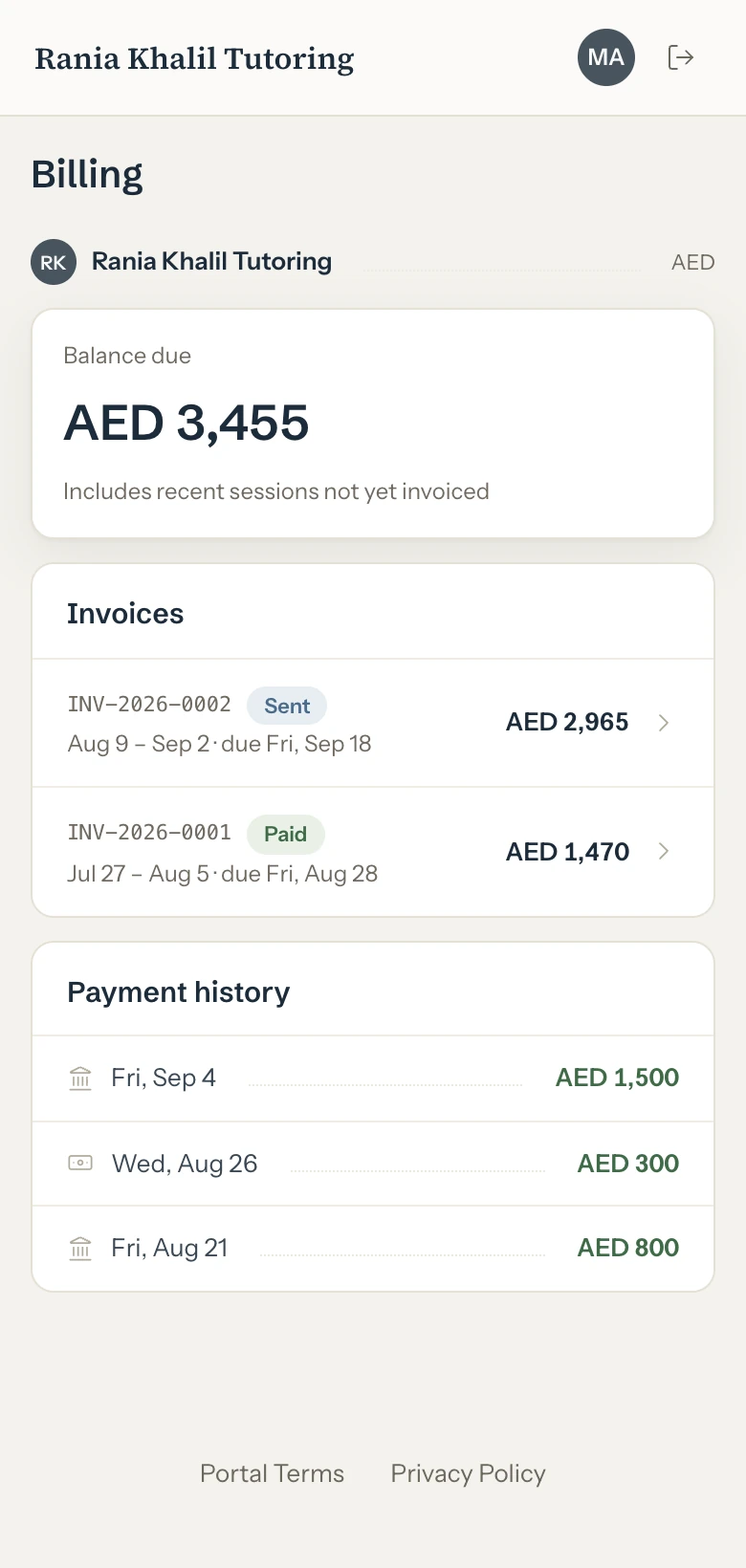
- ScheduleShown
- Balance and invoicesShown
- Shared notesShown
- Booking and payingNot possible
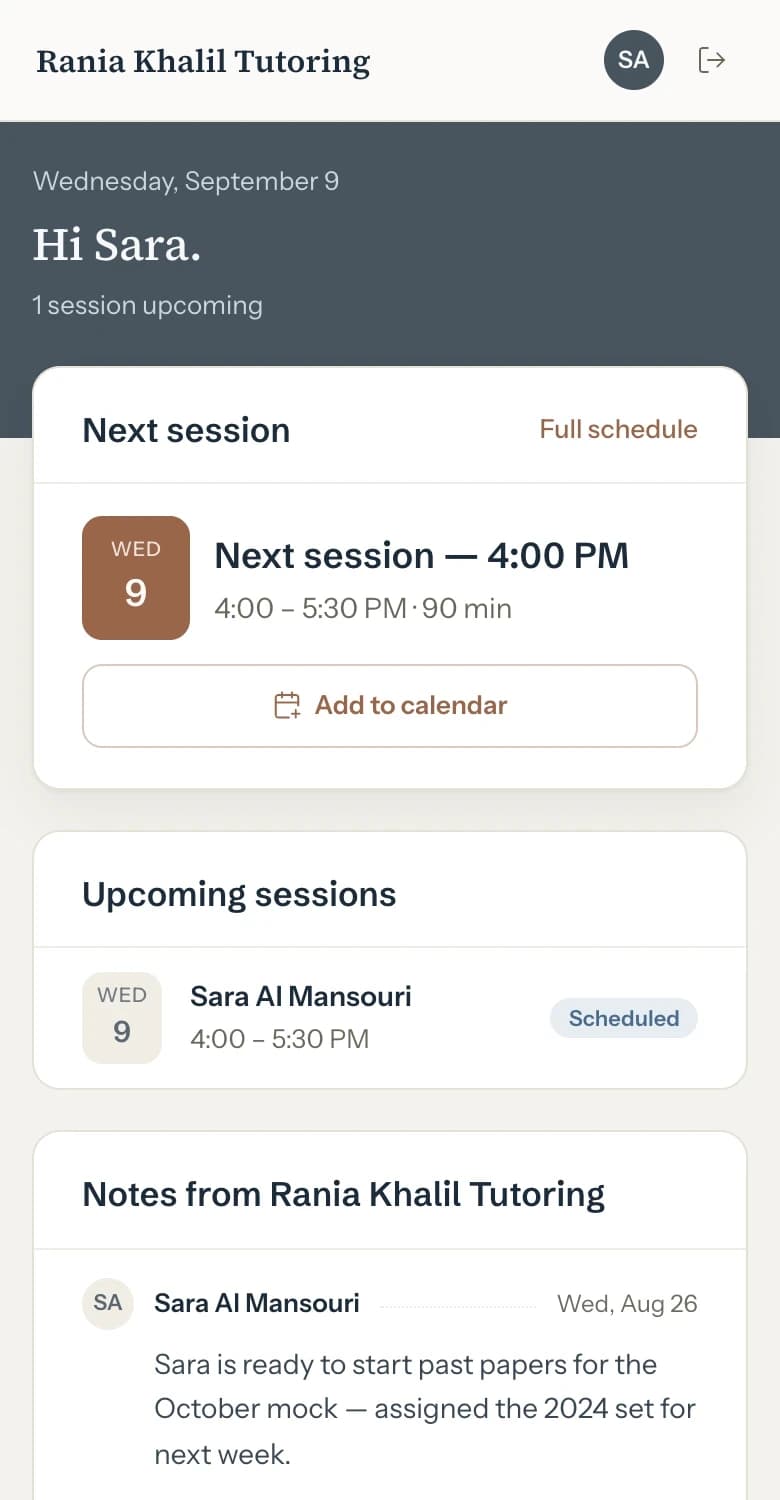
- ScheduleShown
- Balance and invoicesNot shown
- Shared notesShown
- Booking and payingNot possible
What else is in the app? The rest of your spreadsheet.
Every screen here is the app as it ships.

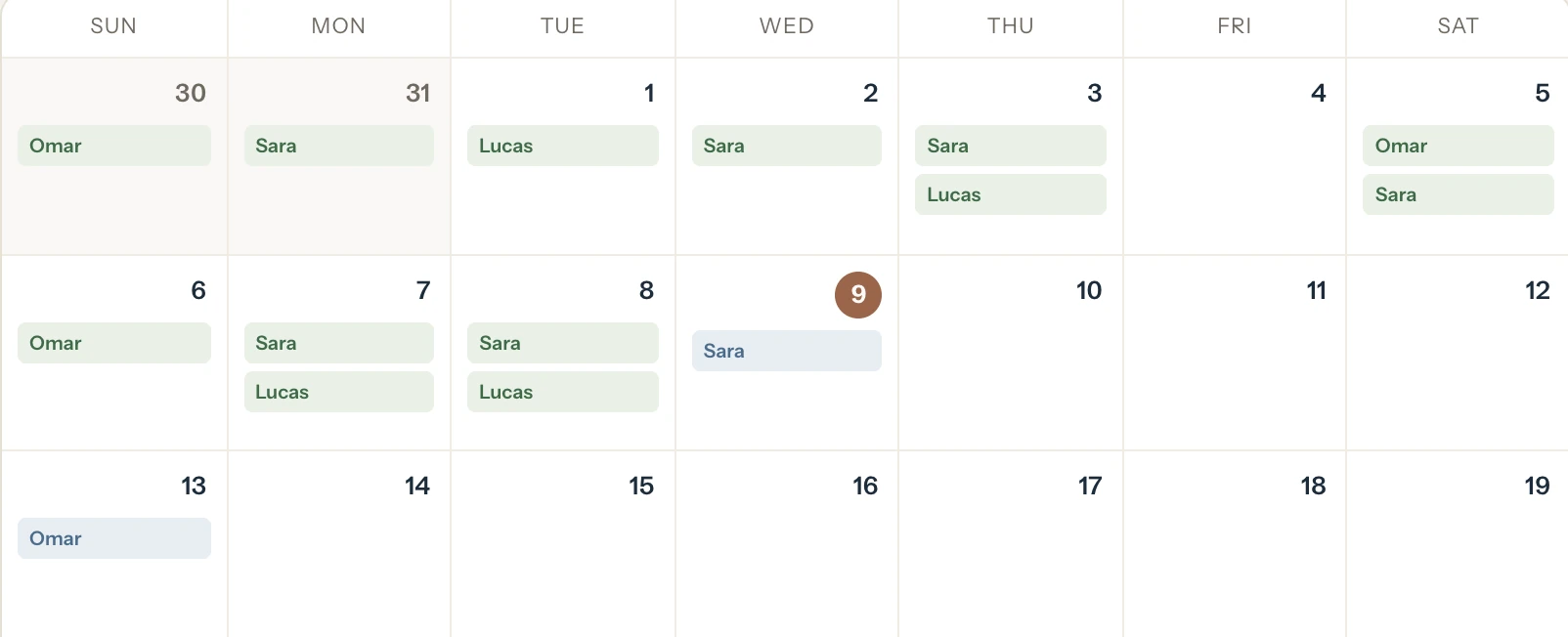
Calendar
Month and week views. On a phone the week view shows one day at a time, hour by hour, and a swipe moves to the next. Completed, scheduled, cancelled and no-show lessons each look different, and today is highlighted. What you see is what gets billed.
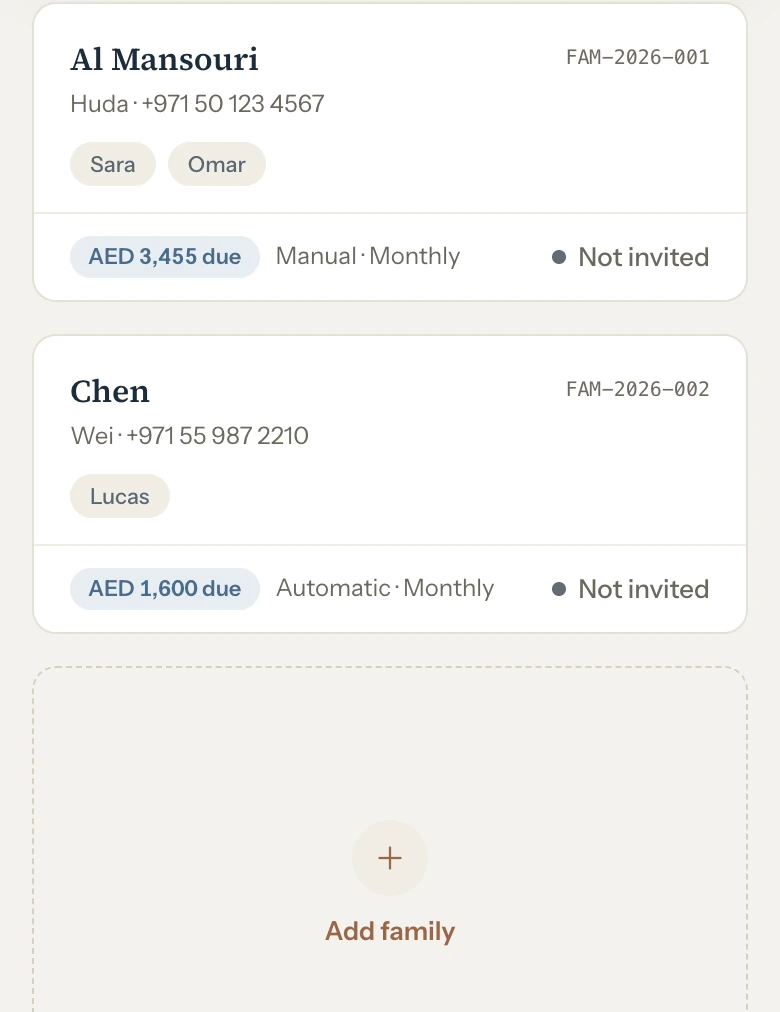
Families
Each household with its children, its balance, how it is invoiced and whether the parent has joined the portal. Archiving a family keeps its history; nothing is deleted.
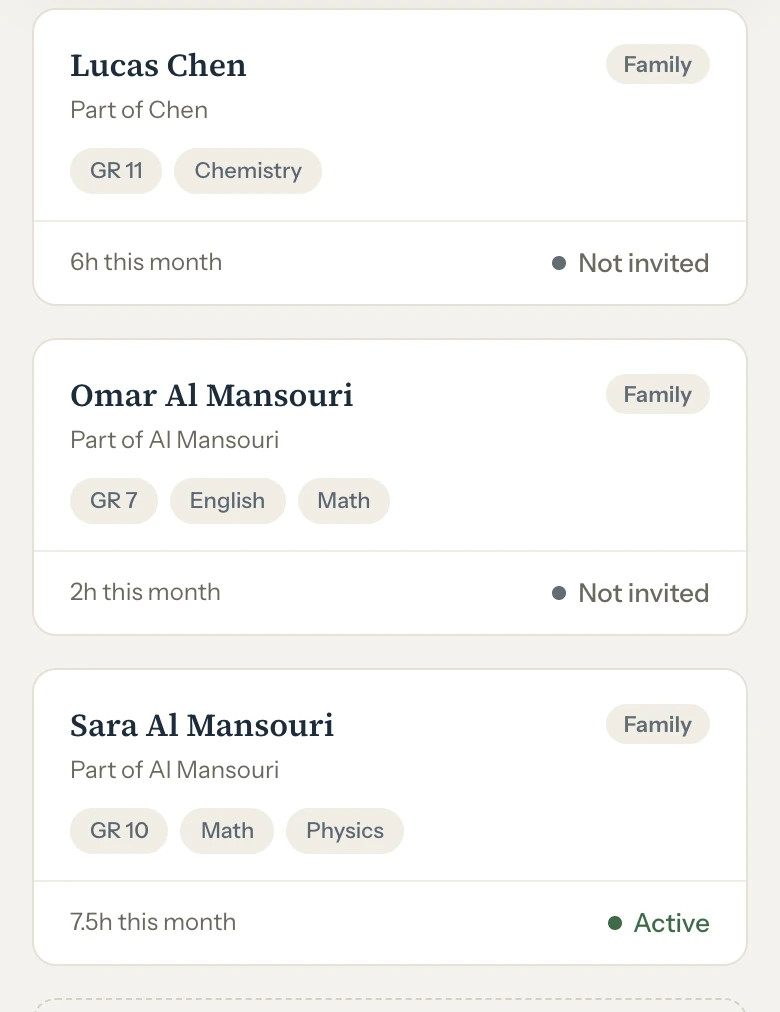
Students
Grade, subjects and hours taught this month, with an hourly rate of their own if you need one. An adult learner can pay you directly, with no family attached.
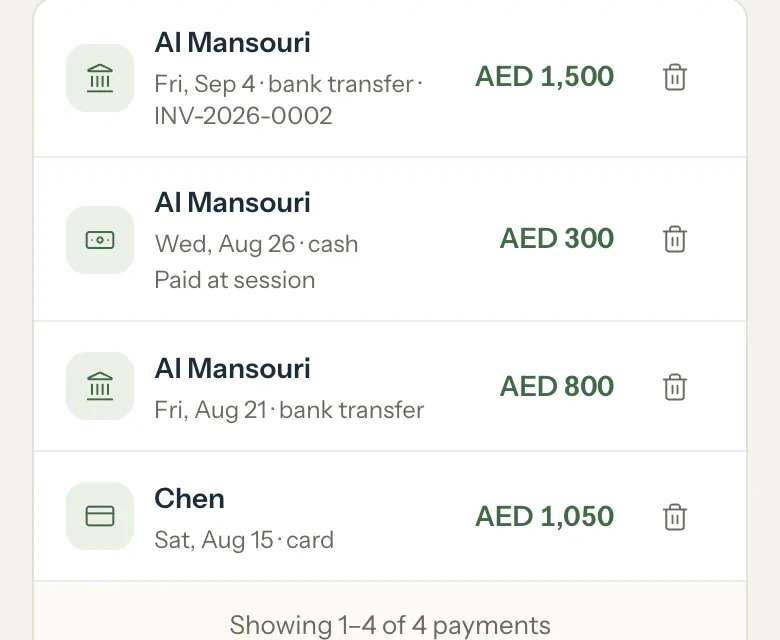
Payments
Cash, bank transfer, card, cheque or other. You record what families actually pay you; nothing goes through a payment processor.
Export
One download, eight CSV files: families, students, lessons, invoices, invoice lines, payments, weekly schedules and portal access. They open in Excel or Google Sheets.
How much does Tutello cost? Nothing for the first 30 days.
The trial is free for 30 days. Then the first 500 tutors pay $79 once and never again; after them, it is $79 a year. Or pay $9.99 a month and stop when you like. Every plan has every feature, with no limit on families, students or lessons.
One payment. Every feature, for as long as Tutello exists.
- Everything included, nothing to renew
- Founding badge in the app
- Locks in every future feature
What's coming.
- October 2026
- Richer statistics on your dashboard
- Push notifications
- Your sessions in Google or Apple Calendar
- Early 2027
- Tutello iPhone app on the App Store
- Summer 2027
- Tutello Android app
- Your ideas
Tell us what would help. We build the most requested features in between.
Dates are targets and may change.
Have an idea? Write to support@tutello.ae
Questions before you sign up
Four short steps, inside the app: your business, your first family, your first lesson, and an invite for the parent. Nothing to install, and no credit card to start.
Add your families by hand: one form takes the parent's details and all their children. There is no spreadsheet import, so start with this month's lessons and keep the old sheet for the months before. If you ever leave, the export hands everything back as CSV files.
Yes. Set your window once in Settings, from no window up to 72 hours (24 by default). A lesson cancelled inside it is billed at its booked length, like a no-show; cancelled earlier, it costs nothing, and you can waive any single fee.
Automatic invoices, yes: with Auto-send on, Tutello emails each new one with its PDF when the family, or the independent student's portal account, has an email on file. Any invoice can also go out when you choose: use Share to send the PDF the way you already talk to families, usually WhatsApp, or email it from the invoice. Online card payments are not available yet. You record each payment when it arrives (cash, bank transfer, card, cheque or other), or mark the invoice paid as you save it, and the balance updates the moment you do.
Yes. Pick your currency when you set up: AED for the UAE; SAR, QAR, KWD, BHD or OMR elsewhere in the Gulf; or USD, GBP, EUR, EGP, INR, PKR, PHP, CAD or AUD. Invoices, balances and the parent portal all use it.
Parents see their family's schedule, balance, payment history and invoices. A student linked to a family never sees any of that: only their own schedule and the notes you choose to share. An independent student who bills you directly gets their own billing view, but only for their own account, never anyone else's.
Yes. On a phone the calendar's week view shows one day at a time, hour by hour, and the menu moves to a bar at the bottom. Add Tutello to your home screen from Settings and it opens like an app; parents open their portal in the browser from the link you send, with nothing to install.
Your account becomes read-only: every record stays, and you can still download all of it as CSV files. You can't add or change anything until you choose a plan. A banner warns you in the last week, and an email arrives 7 days and 1 day before the end.
Everything, for as long as Tutello exists, including every future feature and a founding badge in the app. One payment of $79, made from Settings when you decide, with refunds under the refund policy in the footer. It is open to the first 500 tutors only.
In the EU (Frankfurt), encrypted in transit and at rest. Only you see your families, and each family sees only its own record. Tutello never sells your data, never shares it with advertisers and never uses it to train AI.
Still stuck? A real person reads every message.
support@tutello.aeYour records are yours, always.
Start free for 30 days. Whatever you decide, your records leave with you: the export works on every plan.