Teach a group
Add one session with several students: each student is charged for their own time, at their own rate.
For tutors. Updated October 2026.
Where to find it
- On a phone
- Calendar, then the + button, then Multiple
- On a computer
- + New session in the sidebar, then Multiple
Steps
Under Student, choose Multiple.
A student you already picked stays picked.
Press Add another student and tick each student. For siblings, press Select all beside their family. Then press Done.
Up to 8 students in one session.
Set the Date, the Time and the Subject.
Choose the Duration: the whole session's length.
It is split evenly between the students: 1 h 30 min for two is 45 min each.
Under Each student, tap a student's pill to see their details (Next: Sara at the end goes to the next one). Change their Time if they stay longer or shorter.
The others' times change so the times always add up to the length, and their pills show it.
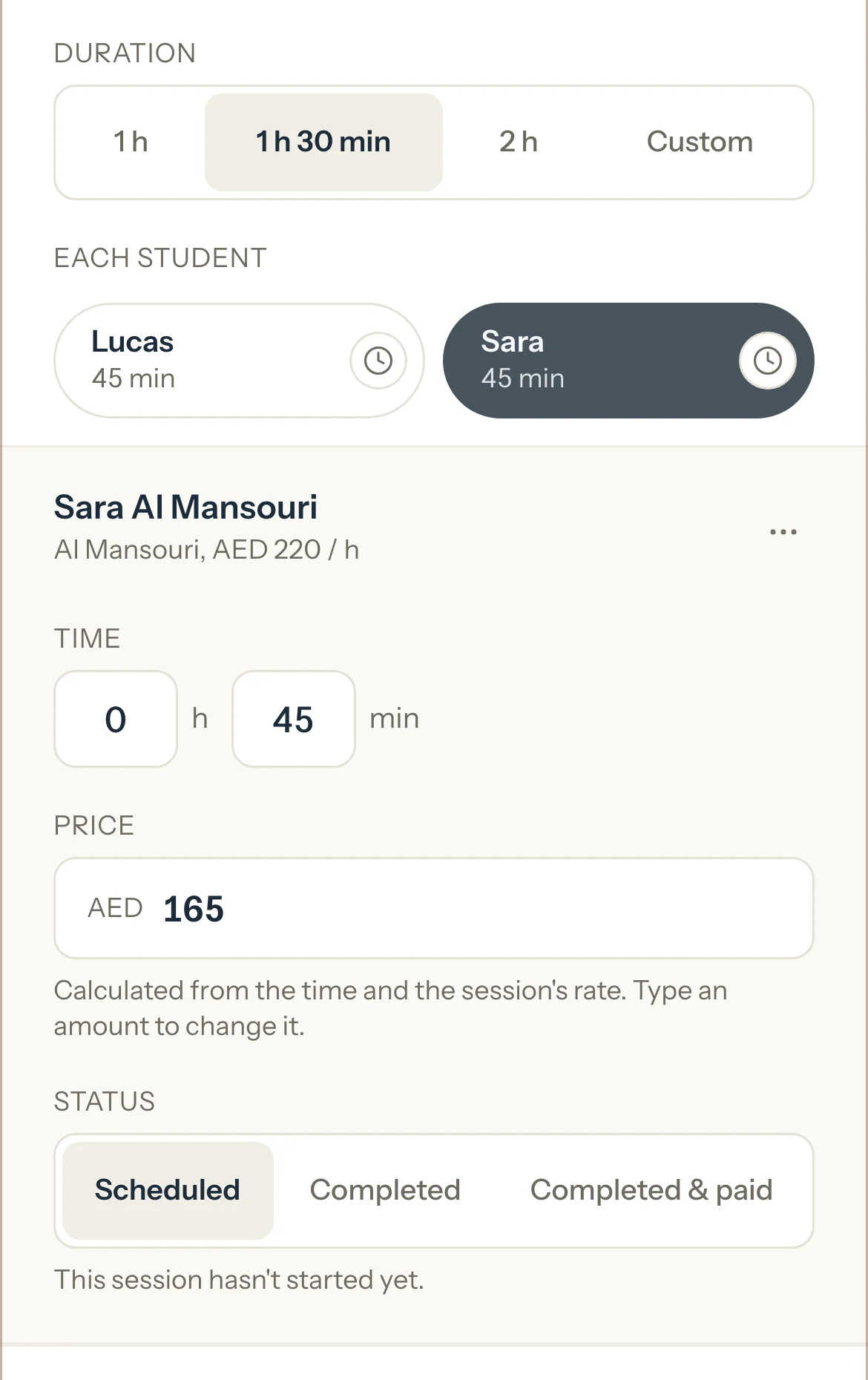
Optional: Check their Price: their time at their own rate. To charge something else, type it; Reset to AED 150 puts the calculated price back.
Optional: For a session that already happened, choose Completed for each student, or press Mark all completed. A student who didn't come: Mark no-show in their menu.
Optional: For a student who has already paid, choose Completed & paid for them.
The line under it says what it creates: an invoice for that student's part only, paid by your usual payment method.
Press Add session.
The calendar shows one session with the students' first names.
An example
Omar (AED 200 an hour, pays for themselves) and Sara (AED 220 an hour, Al Mansouri family) share 1 h 30 min. Sara stays 50 min, so Omar has 40 min.
- Omar, 40 min
- AED 133.33
- Sara, 50 min
- AED 183.33
- Total
- AED 316.66
Good to know
- Each student is a session of their own in your figures: Omar's 40 min goes on Omar's invoice, Sara's 50 min on the Al Mansouri family's.
- A family on automatic invoices for each session gets one invoice per session: two siblings in the same group session share it, a line each, when both are marked before the next daily run. Two families never share an invoice.
- Each family sees only their own child's session, time and price. A group's note starts Private, whatever your new notes usually start as. Set to Shared, it's copied to every student, so every family reads it: if it names another student, a line under it says whose parents will see it.
- Each student keeps at least 5 min. A time that would leave someone less is cut back.
- To change the session later, open it from the calendar: change the date, the time, the length or a student's time, price or status, then press Save changes. Nothing is saved before that.
- Completed & paid is one student at a time: each student paid that way gets their own invoice, for their own family or for them when they pay for themselves. Two siblings paid the same way get two invoices.
- A student who didn't come: Mark no-show, Cancel for Omar or Waive fee in their menu. The other students keep their time and their charge.
- To take a student out, choose Remove from this session in their menu: the others share their time (Share the time) or the session ends earlier (End earlier). Delete session deletes it for every student.
- Once a student's part is on an invoice, the date, time and every student's time are locked, and that student's status and price read their invoice. The others can still be marked.
- For a note about one student only, open their own session with Open Omar's session in their menu.
- To teach the group every week, switch on Repeat weekly before Add session: it repeats with its split for the next four weeks. Each student's status and a price you typed apply to the first session only.
- A weekly group says Part of a weekly schedule. Stop weekly schedule stops it for every student; past sessions stay.
- One student stops coming every week: open their own session and press Stop weekly for Omar. From that day, the others share Omar's time (Share the time) or the session ends earlier (End earlier).
- When a weekly student is deactivated, the group's later sessions are short of time, and the session says whose weekly session stopped. Share the time or End earlier fixes that week and the weeks after it.
- Once a student is Completed, their details show what you covered, by their own report card setting: Covered today on Simple, and How it went, Homework and Add a test score on Detailed. A student on Off shows none. Each student's progress is kept as you move between pills and saved with the session.
- A student's report card counts their own time: Sara's 50 min, the same as on Sara's invoice, never the whole session.
- A student can't be in two sessions at once: the panel names who is already booked.
If something's not right
"Choose at least two students."
Tick a second student, or choose Single for a one-to-one session.
"Omar already has a session at this time."
Change the time, or press Remove Omar in Omar's menu.
"At least 5 min each."
The time you typed was cut back so every student keeps 5 min. You can still save. If that's not what you meant, change the times or the Duration.
"Saved as Completed. No invoice was made. Try Completed & paid again."
The student is saved as Completed. Choose Completed & paid for them again and press Save changes.
"Layla's report cards are off."
Layla is on Off, so nothing is noted for Layla and nothing was saved. Clear Layla's topics, or turn report cards on for Layla: see Turn report cards on.
"This session changed while you were saving. Nothing was saved. Try again."
The session was changed somewhere else. It reloads: make your change again and save.
Related
Still stuck? Email support@tutello.ae.