Turn report cards on
Choose Simple or Detailed report cards for every student, or for a few, and decide whether students see their own cards.
For tutors. Updated October 2026.
Where to find it
- On a phone
- Settings (tap your initials), then Preferences, then the Report cards card
- On a computer
- Settings, then Preferences, then the Report cards card
One student's own setting is on their page, under Progress.
Steps
On the Report cards card, choose Simple or Detailed.
The first time, Before you turn on report cards opens. Nothing is saved yet.
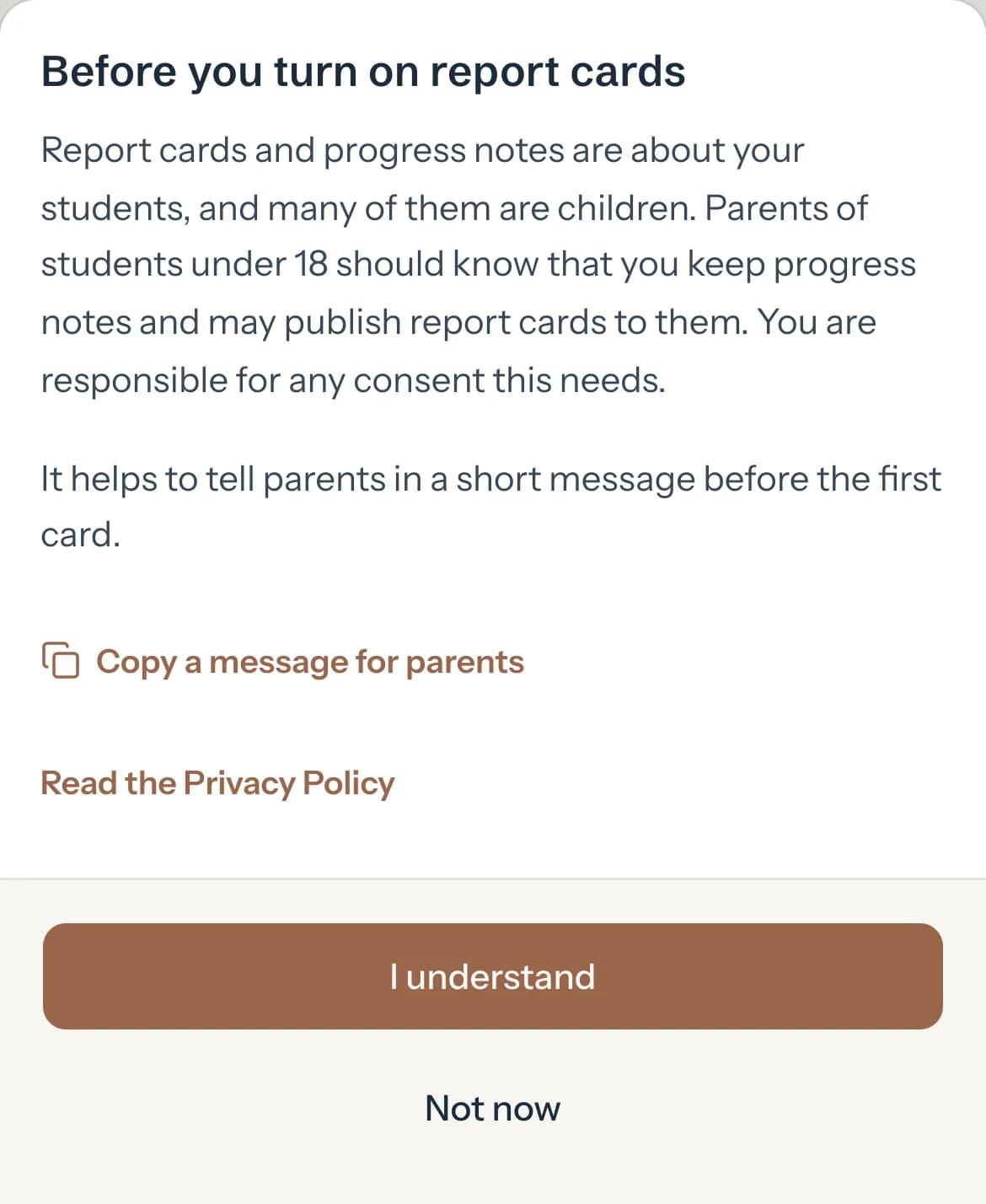
Optional: Press Copy a message for parents and send it to the parents yourself before their first card.
Press I understand.
Report cards are on for every student and Saved shows. Not now leaves them off.
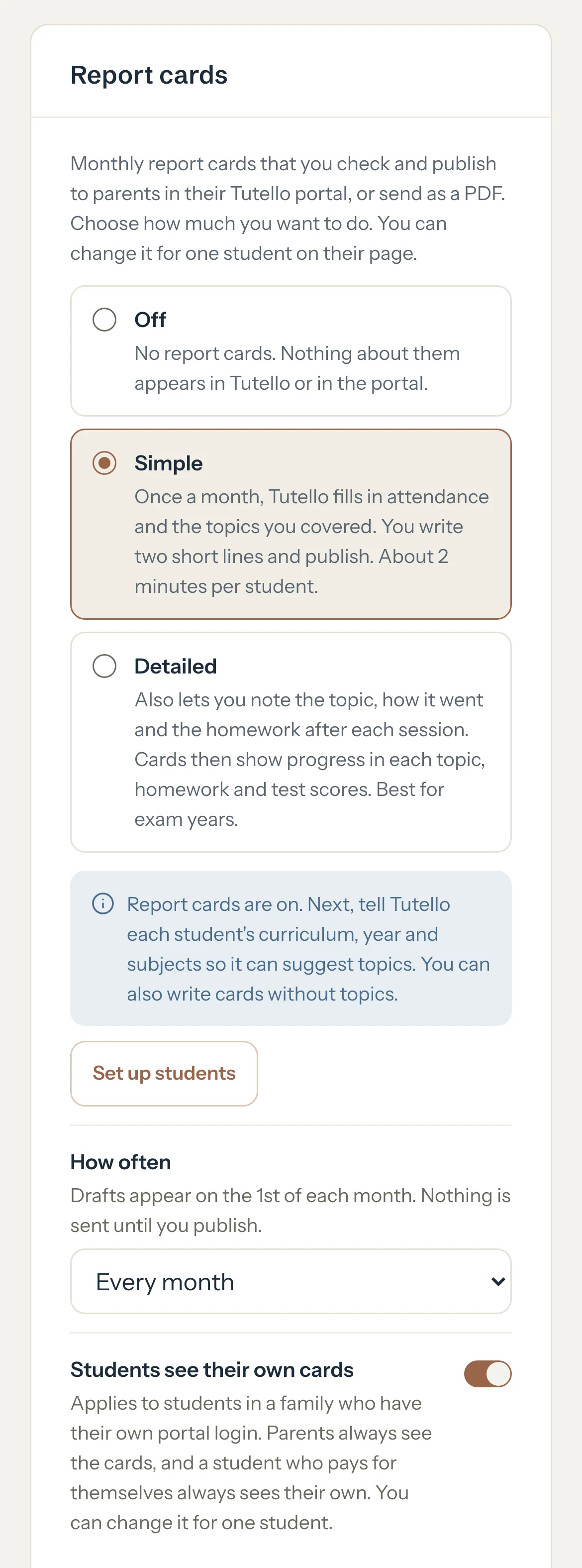
Optional: Press Set up students to give each student a curriculum, a year and topics. You can also write cards without topics.
Optional: Turn off Students see their own cards if only parents should read them. A student you set on their own Progress tab keeps that setting.
Optional: To give one student another setting, open their page, press Progress, and choose Off, Simple or Detailed under Report cards for Sara.
It reads Only for Sara. Use my default puts them back on yours.
What parents see
- Nothing, until you publish a card. Then it shows under Report cards in their portal, and nothing is sent to them.
- A student in a family with their own portal login reads their own cards while Students see their own cards is on, unless you changed it for them with Show report cards in Sara's own portal on their Progress tab. A student who pays for themselves always does.
Good to know
- Simple: once a month Tutello fills in attendance and the topics you covered, and you write two short lines. Detailed adds how each topic went, homework and test scores, noted after each session. Best for exam years.
- To try them with a few students first, leave the card on Off and press Turn on for some students only. Everyone else stays Off.
- While you use report cards, Report cards shows in the sidebar on a computer, and Students has a Report cards switch at the top on a phone. Each student's page reads Sessions, Progress and Details.
- Choosing Off again asks first when some students have their own Simple or Detailed setting, or a card exists. Tick Turn them off too for those students, or Unpublish all published cards to take every card out of the portal. Otherwise published cards stay where they are.
- Moving one student from Detailed to Simple keeps what you noted, hidden, and brings it back if you switch to Detailed again.
If something's not right
"Couldn't save. Try again."
The connection dropped and your choice went back. Choose again.
Related
Still stuck? Email support@tutello.ae.