Record a session paid for in cash
Completed & paid saves the session, its invoice and the cash payment in one step.
For tutors. Updated October 2026.
Where to find it
Calendar, then the session
Today's sessions open from your dashboard too.
Before you start
The session starts within the hour or has already started, and isn't on an invoice yet.
Steps
Open the session.
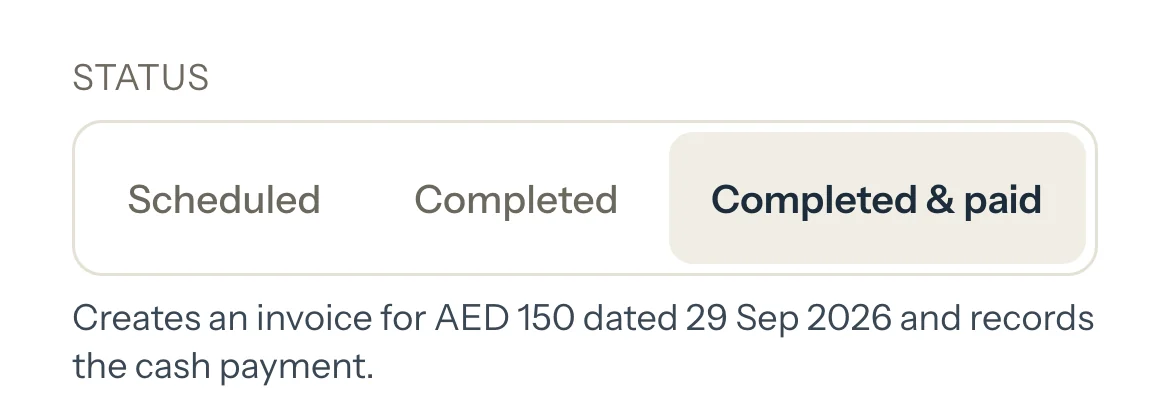
Choose Completed & paid.
A line says what saving will do, for example: Creates an invoice for AED 150 dated 29 Sep 2026 and records the cash payment.
Optional: If it ran shorter or longer, type the Actual duration.
Press Save as paid.
The panel shows the new invoice, marked Paid, with a link to open it.
An example
Sara's Math session is 1 h 30 min at AED 220 an hour. Her family pays in cash when it ends:
- Invoice for the session, marked Paid
- AED 330
- Cash payment, dated the session's day
- AED 330
What happens next
- One new invoice for that session, dated its day and marked Paid.
- One cash payment for the same amount, dated the same day.
- On your dashboard, Earned, Invoiced and Paid each go up by AED 330. Nothing is left in To invoice or Unpaid for it.
What parents see
- The invoice shows as Paid in their Billing.
- Nothing is sent to them. You can share the invoice later as a receipt.
Good to know
- It's always recorded as cash. For a transfer or a card, mark the session Completed, then switch on Paid as you create the invoice.
- The invoice lists the session the family's usual way and never takes a discount.
- It's all or nothing: if something fails, nothing is saved and the session stays as it was.
- To undo it, cancel the invoice. You choose there whether the payment stays.
If something's not right
"Already on INV-2026-0003. Record the payment there."
The session is already on an invoice. Open that invoice and press Record payment.
"This session hasn't started yet."
A session can be marked from an hour before it starts. Come back to it then.
"The total is 0, so there's nothing to pay."
Mark it Completed instead.
"Couldn't save this session as paid. Nothing was recorded. Try again."
Nothing changed. Check the connection and press Save as paid again.
Related
Still stuck? Email support@tutello.ae.