Record a payment
Record money as it arrives: who paid, how much, when and how.
For tutors. Updated October 2026.
Where to find it
- On a phone
- Billing, then Payments, then Record payment
- On a computer
- Payments, then Record payment
Record payment also opens from an invoice's page and from a row of your dashboard's Unpaid list, with that invoice ticked. On the Simple dashboard, a row opens it with that family or student chosen and its Unpaid filled in.
Steps
In From, choose the family, or the student who pays for their own sessions.
Invoices to pay lists their invoices with money left to pay, all ticked, and Amount fills in with what's left on them.
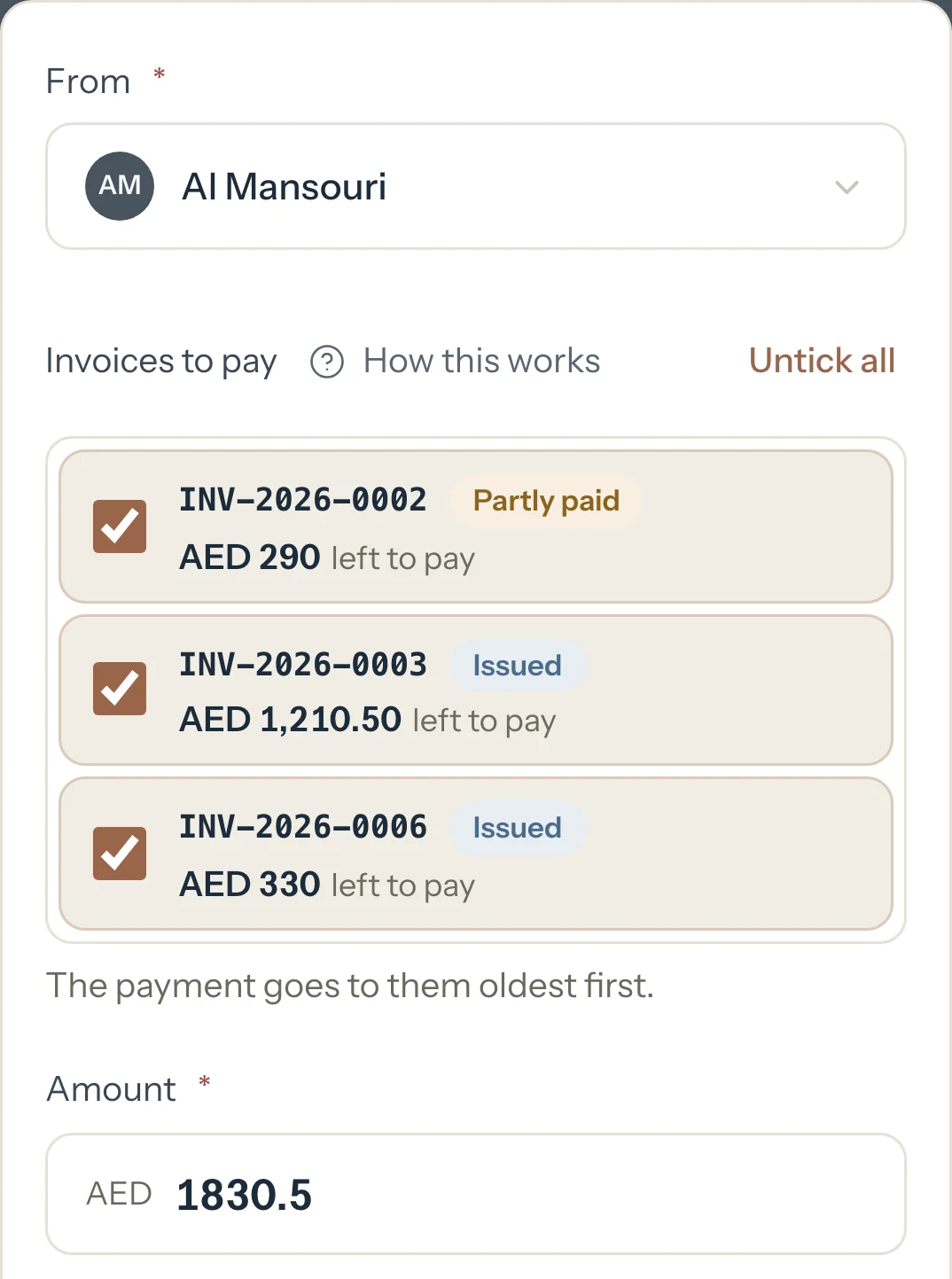
Untick any invoice this payment isn't for. For one payment over several invoices, see Record a payment that covers several invoices.
In Amount, type what you received if it's a different figure.
In Date received, choose the day the money reached you. It starts on today and can't be later.
Choose the Method: Cash, Bank transfer, Card, Cheque or Other.
Optional: In Notes, add who paid or the transfer reference.
Press Record payment.
The payment shows in Payments, and on the page of every invoice it paid.
An example
The Al Mansouri family has three invoices with money left to pay. Choose them in From and all three are ticked:
- INV-2026-0002
- AED 290
- INV-2026-0003
- AED 1,210.50
- INV-2026-0006
- AED 330
- Amount
- AED 1,830.50
What happens next
- Payments lists it with its date, method and the invoices it paid.
- Each invoice it paid shows it under Payments on its page, with what's been received and what's left to pay.
- On the Detailed dashboard, Paid goes up and Unpaid goes down by what went to invoices. On the Simple dashboard they move by the whole amount, less any of it that's paid ahead. The family's Balance due goes down by the whole amount.
What parents see
- Their Balance due in Billing goes down by the amount, and each invoice shows what's paid and what's left.
- Tutello sends them nothing when you record a payment.
Good to know
- Families pay you directly, in cash, by transfer, card or cheque. Tutello only records it, and takes no cut.
- With nothing left to pay on the family's invoices, the payment counts as paid ahead, toward their next invoice. On the Simple dashboard it first counts toward sessions you haven't invoiced.
- A payment that paid several invoices is still one line in Payments.
- A payment can't be edited. To fix one, delete it and record it again.
- Payments also shows what you received this month.
If something's not right
A family isn't in From.
From lists active families and the students who pay for their own sessions. For a deactivated family, open one of its invoices and press Record payment there.
It says the family has nothing left to pay.
Every invoice of theirs is paid. Record the money anyway and it counts as paid ahead, or invoice their sessions first.
Related
Still stuck? Email support@tutello.ae.