Record a part payment
When a family pays in instalments, each payment lowers what's left to pay on the invoice.
For tutors. Updated October 2026.
Where to find it
- On a phone
- Billing, then the invoice, then Record payment
- On a computer
- Invoices, then the invoice, then Record payment
Steps
Open the invoice and press Record payment.
It opens with that invoice ticked and Amount filled in with what's left to pay.
In Amount, type what the family paid this time.
How it's split shows what will be left to pay on the invoice.
Choose the Date received and the Method.
Press Record payment.
You're back on the invoice, which now reads Partly paid.
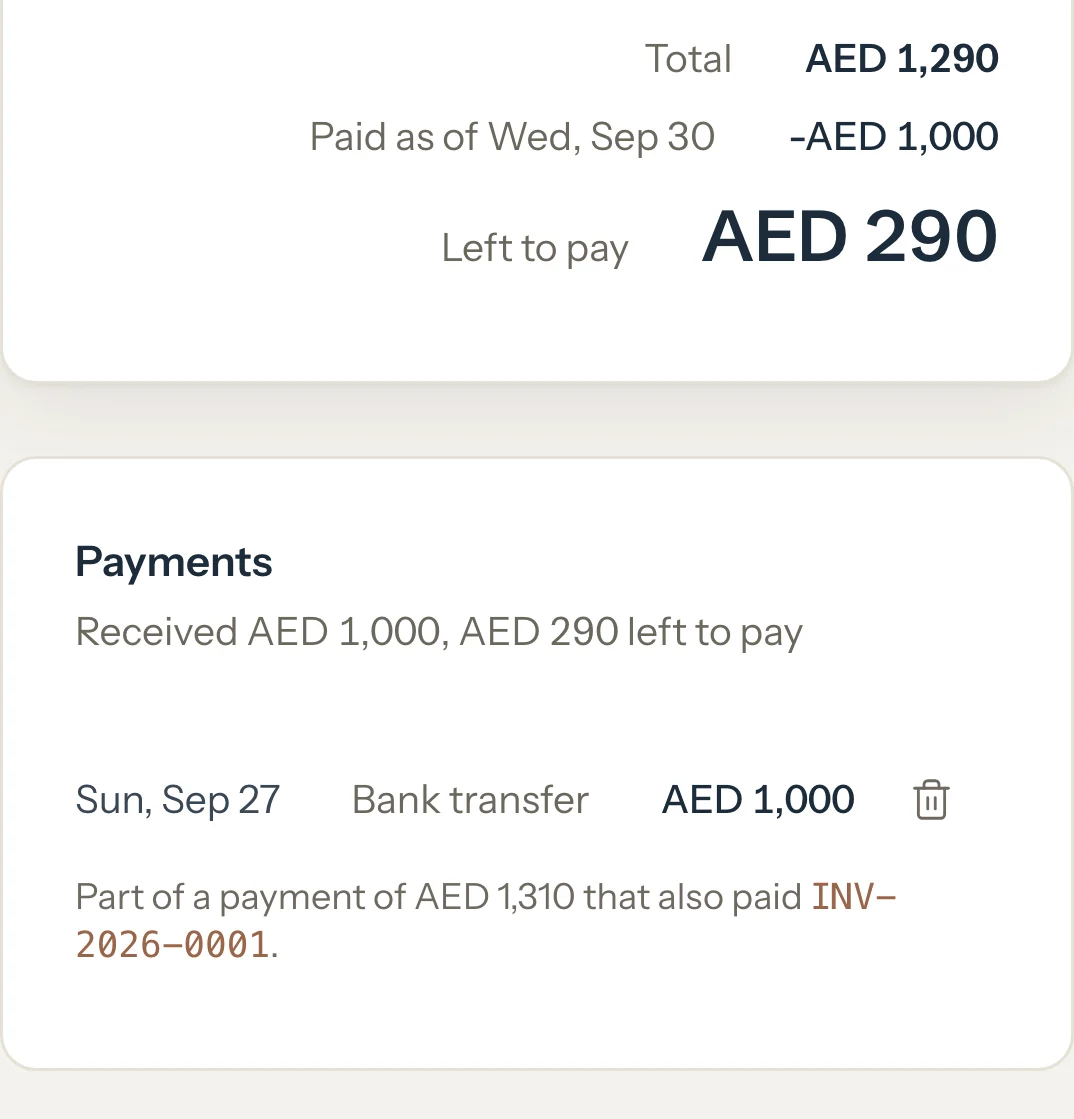
When the next instalment comes in, press Record payment on the invoice again. It's filled in with what's left.
An example
INV-2026-0002 for the Al Mansouri family is AED 1,290. Huda paid AED 1,000 of it in September:
- Total
- AED 1,290
- Received
- AED 1,000
- Left to pay
- AED 290
"Leaves AED 290 to pay on INV-2026-0002."
What happens next
- The invoice reads Partly paid. Its Payments card shows what's been received and what's left to pay.
- On your dashboard, the Unpaid list shows the invoice with what's left and how much of it has been received.
- When the payments cover the whole invoice, it turns Paid and Record payment goes away.
What parents see
- In Billing, the invoice shows Partly paid with what's left to pay.
- The invoice and its PDF show Total, Paid as of the day and Left to pay.
- If you share it, the message says what's left to pay and how much has been paid so far.
Good to know
- Partly paid isn't something you set. Tutello shows it while an issued invoice has some money toward it and some still to pay.
- Once its due date has passed, the invoice reads Overdue instead, even when part of it is paid.
- A family can also pay several invoices at once. See Record a payment that covers several invoices.
- Money you recorded without an invoice can count toward it too. See Money received without an invoice, and Match.
If something's not right
Record payment isn't on the invoice.
Nothing is left to pay on it. If it reads Paid by mistake, delete the payment that paid it. A draft has no Record payment: press Save first.
It says the invoice was marked paid but money isn't recorded.
It was marked paid before its money was recorded. Press Mark unpaid, then record each payment as it came in.
Related
Still stuck? Email support@tutello.ae.