Work from Today on your dashboard
Today's sessions sit on your dashboard: tap one to mark it, change it or cancel it without opening the calendar.
For tutors. Updated October 2026.
Where to find it
Dashboard, then Today
Steps
Open Dashboard. Today shows each of today's sessions with its time, student and status.
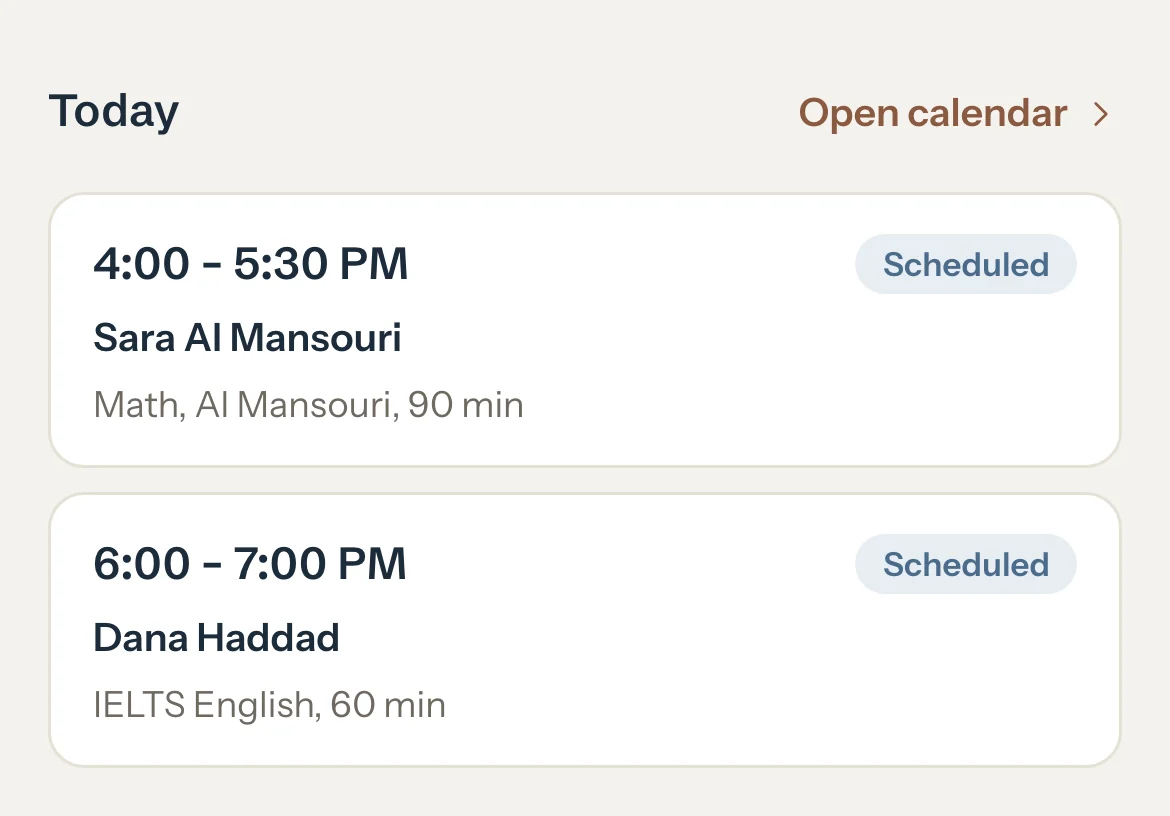
Tap a session.
Its panel opens over the dashboard.
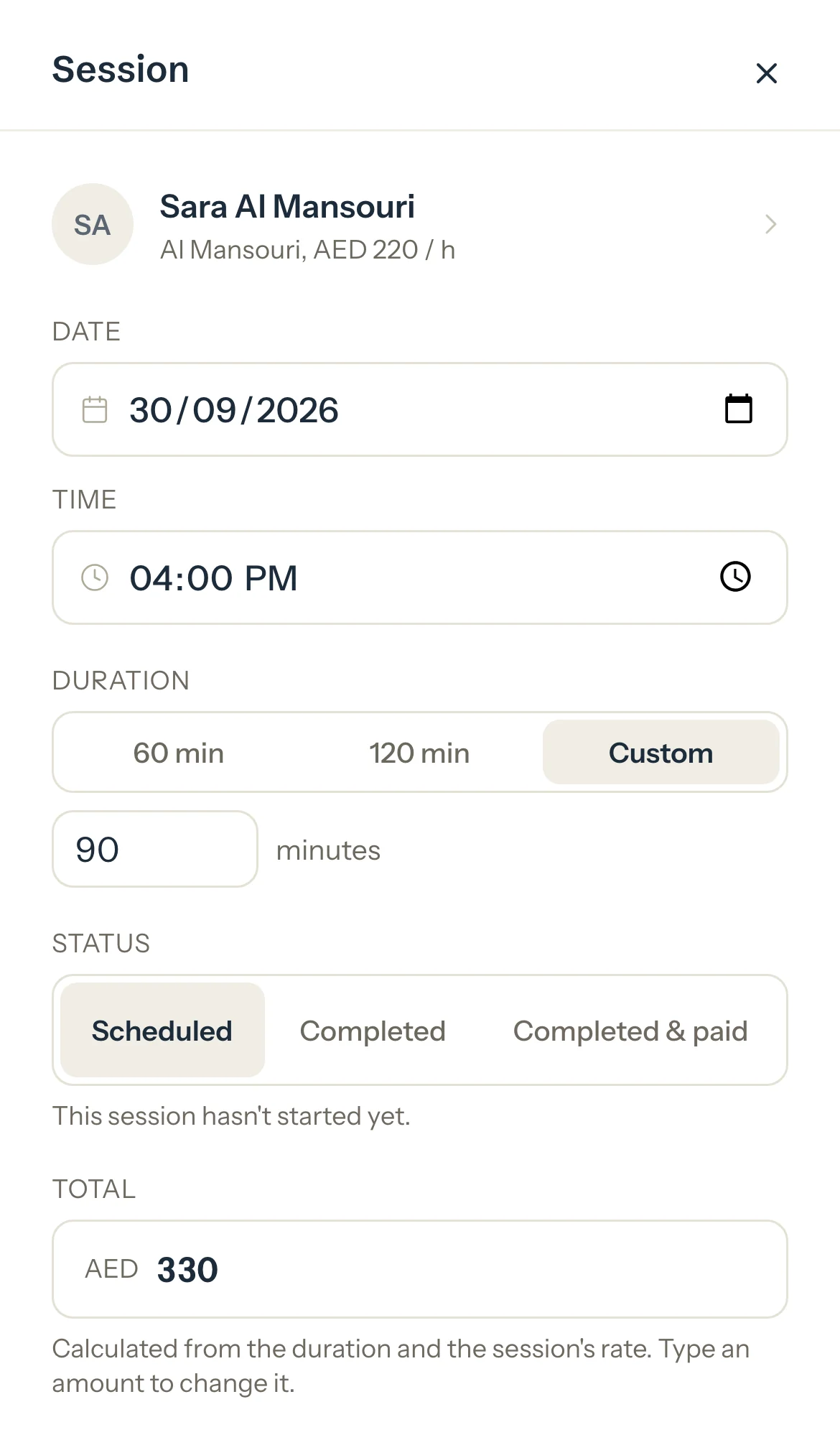
After the session, choose Completed. If it ran shorter or longer, type the Actual duration.
It's charged for the minutes you type, or for the booked length when you leave it empty.
Optional: Add a note, and choose Private to keep it or Shared to show it in the family's portal.
Press Save changes.
The tile shows the new status and the session counts in Earned.
Good to know
- If it didn't happen, use Cancel session or Mark no-show in the same panel. Cancel a session and Mark a no-show say when each is charged.
- Paid for in cash at the end? Choose Completed & paid instead, and the invoice and the payment are saved with it: see Completed & paid.
- A session whose end has passed and that you haven't marked reads Not marked. It isn't earned until you mark it.
- One row in the To do card counts the past sessions you haven't marked. Mark opens the calendar on the oldest.
- With no sessions today, Today says so and names your next one. Open calendar shows this week.
- While you use report cards, a session that has ended asks What did you cover? under its tile. One tap notes the topic: see Note progress after a session.
If something's not right
"This session hasn't started yet. Mark it completed once it starts."
A session can be marked from an hour before it starts. Come back to it then.
Related
Still stuck? Email support@tutello.ae.