Note progress after a session
Tap the topic you covered after each session, and on Detailed how it went and the homework, so the month's card fills itself in.
For tutors. Updated October 2026.
Where to find it
Calendar, then a session that took place
The dashboard's Today tile asks too, once a session has ended.
Before you start
The student is on Simple or Detailed: see Turn report cards on.
Steps
Open the session once it's over.
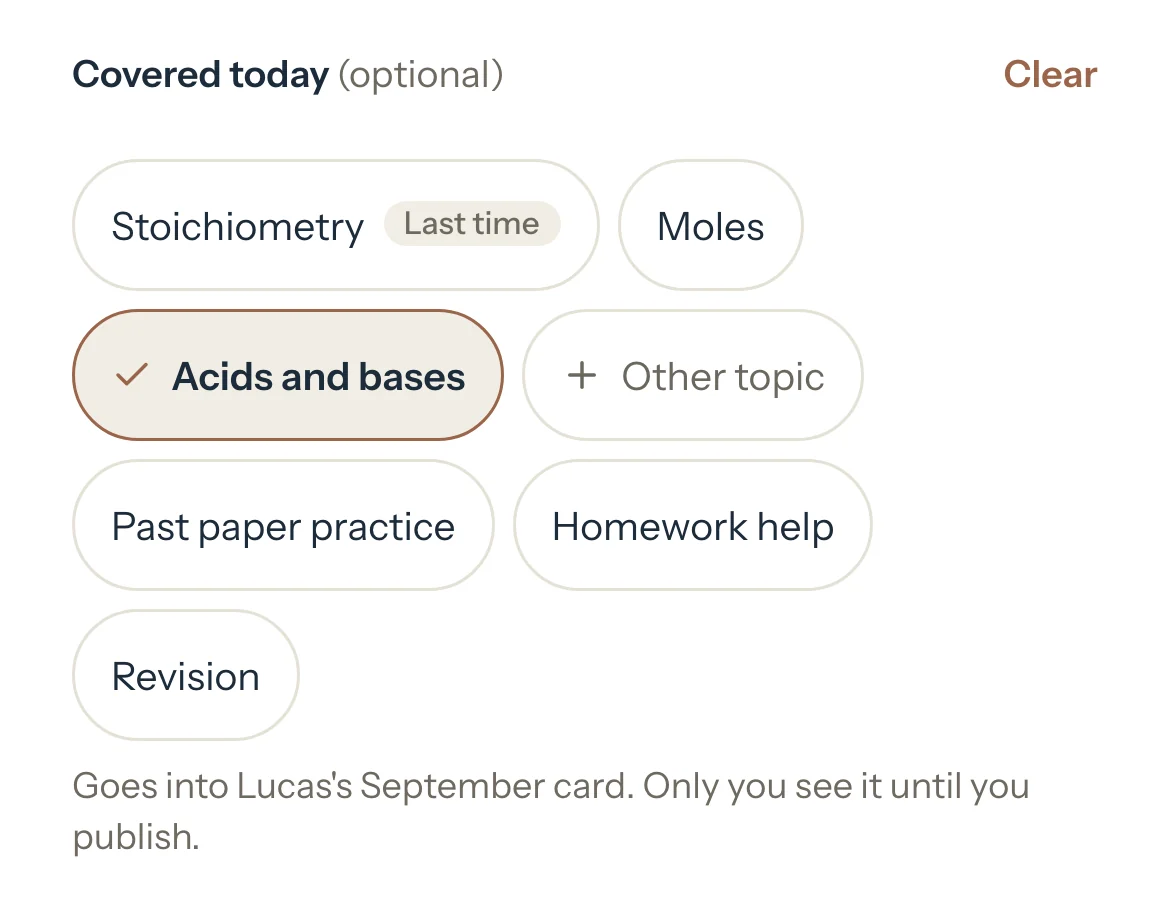
The panel opens at Covered today, or Progress for a Detailed student.
Tap the topic you covered. The one from Last time and the next one not covered yet come first.
Other topic finds any topic on the list or adds one. Past paper practice, Homework help and Revision are there too.
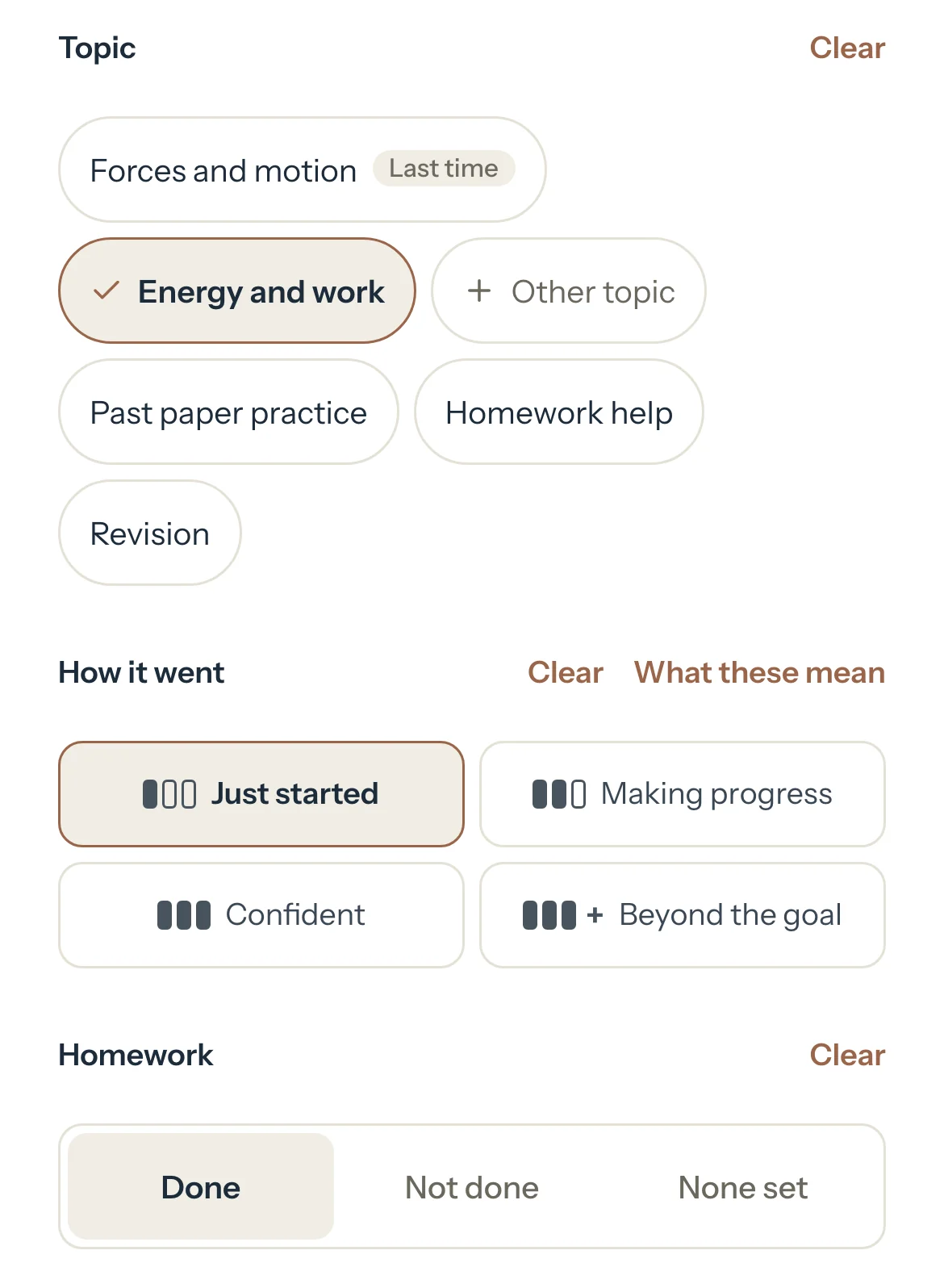
For a Detailed student, choose How it went for each topic you tapped.
What these mean explains the four levels.
For a Detailed student, choose Done, Not done or None set under Homework.
Optional: For a Detailed student, press Add a test score to note a mark or a grade.
Press Save changes.
It goes into that month's card. Only you see it until you publish.
Good to know
- Nothing is required. Leave a session empty and its card still counts it.
- On the dashboard, a session that has ended asks What did you cover? One tap saves the topic and reads Covered: Poetry, with Undo. More opens the session.
- A session that took place but still reads Scheduled asks you to press Mark completed, so it counts in the card.
- Sessions of Detailed students with nothing noted wait under Progress to add, on the student's Progress tab and on Report cards. Fill in what you remember there and press Save progress.
- All week, the dashboard's To do counts the Detailed sessions of the week before with no progress noted. Add progress opens them, and Hide for this week hides the row.
- You can change progress on a session that's on an invoice. It never changes what the session costs.
- How it went, homework and scores never show in the portal until you publish a card. Shared notes are separate: see Keep notes private or share them.
If something's not right
There's no progress in the session.
The student is on Off, the session hasn't happened yet, or it was cancelled or marked a no-show. Or the student is deactivated and set to Simple or Detailed on their own page: reactivate them to note progress.
No topics show, only the fixed ones.
The subject has no topic list yet: see Set up subjects and topic lists.
Related
Still stuck? Email support@tutello.ae.