Choose how sessions are listed
By student, Each session or One total on each invoice, and a default for each family.
For tutors. Updated October 2026.
Where to find it
- On a phone
- Billing, then New invoice
- On a computer
- Invoices, then New invoice
Each family's default is in its Invoice settings.
Steps
Make a new invoice as usual, then press Save or Save as draft.
Review invoice opens. For a draft the same box is titled Save as draft.
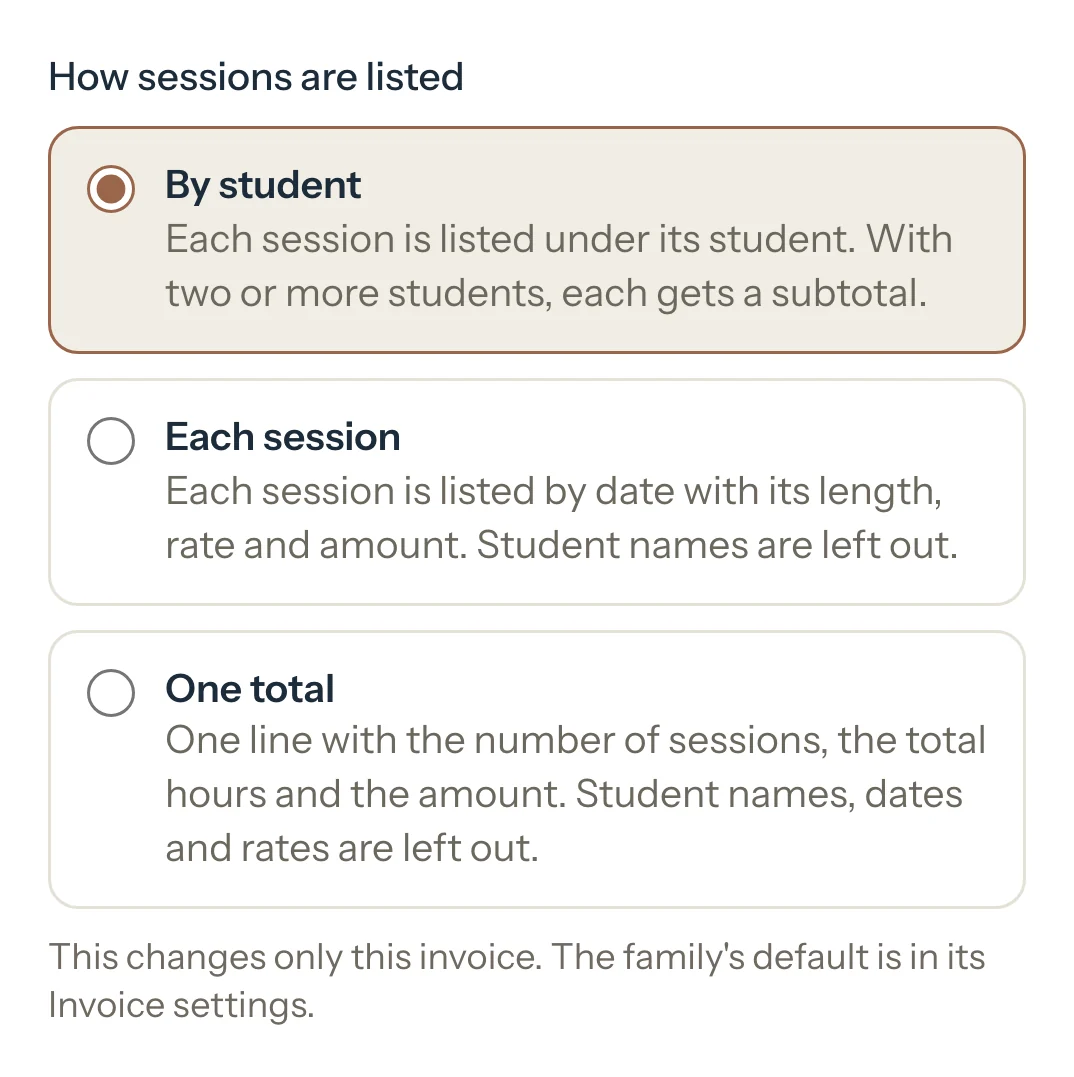
In Review invoice, under How sessions are listed, choose By student, Each session or One total.
It changes only this invoice.
Press Save, or Save as draft for a draft.
The invoice opens, listed the way you chose.
Optional: To change a family's default, open its page and choose under How sessions are listed in Invoice settings.
New invoices for the family start with it, automatic ones too. Drafts you already have keep their own choice.
An example
INV-2026-0003 has Sara's 3 sessions and Omar's 2. The same invoice, listed three ways:
- By student
- Sara's sessions, then Omar's, each with a subtotal
- Each session
- 5 rows by date, no names
- One total
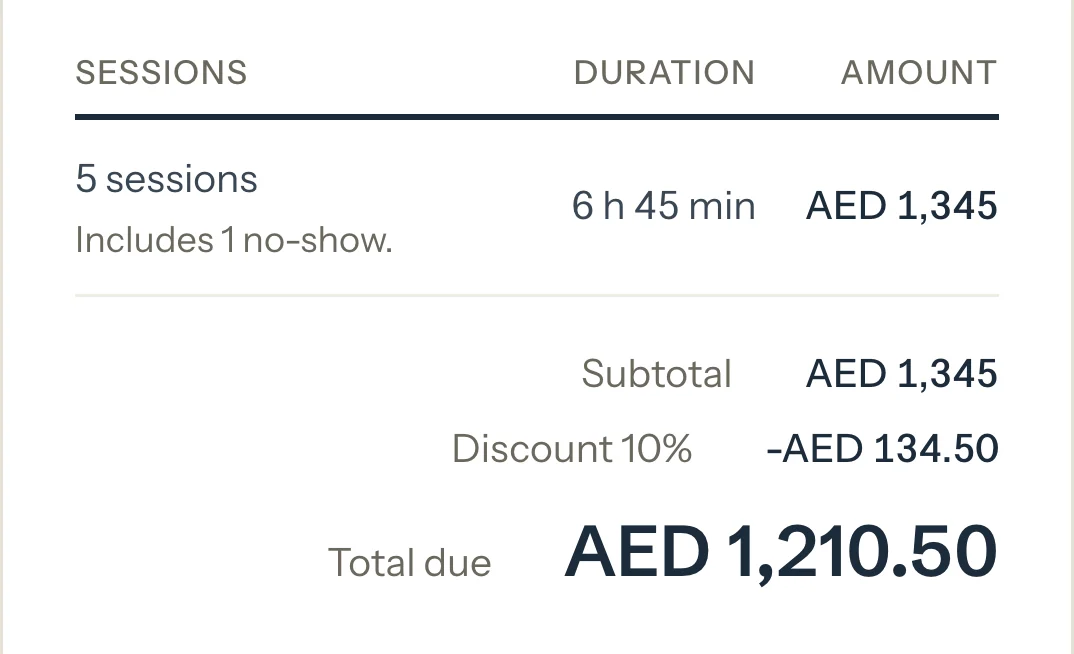
- 5 sessions, 6 h 45 min, AED 1,345
What parents see
- Their invoice page, its PDF and their portal show the same lines you chose.
- One total adds a short note when it includes a late cancellation or a no-show.
Good to know
- It never changes the amounts, the discount or what's left to pay, only how the invoice reads.
- By student lists each session under its student, with a subtotal for each when there are two or more. Each session lists them by date with no names. One total is one line: the number of sessions, the hours and the amount.
- Every length reads in hours and minutes, for example 1 h 30 min, on earlier invoices too.
- Once an invoice is saved, its choice is fixed. A draft shows the choice on its page, so it can still change.
- An independent student's invoice lists Each session or One total: there's only one student.
If something's not right
"You can change how sessions are listed only while the invoice is a draft."
The invoice is saved. To list it another way, cancel it and make it again.
Related
Still stuck? Email support@tutello.ae.