Send an invoice on WhatsApp or by email
Share the PDF from your phone, copy a ready message, or email the invoice with its PDF from Tutello.
For tutors. Updated October 2026.
Where to find it
- On a phone
- Billing, then the invoice, then Share
- On a computer
- Invoices, then the invoice, then Share
Only a saved invoice can be shared. Save a draft first.
Steps
Open the invoice and press Share.
Share invoice INV-2026-0002 shows the message that goes with it. Nothing is sent yet.
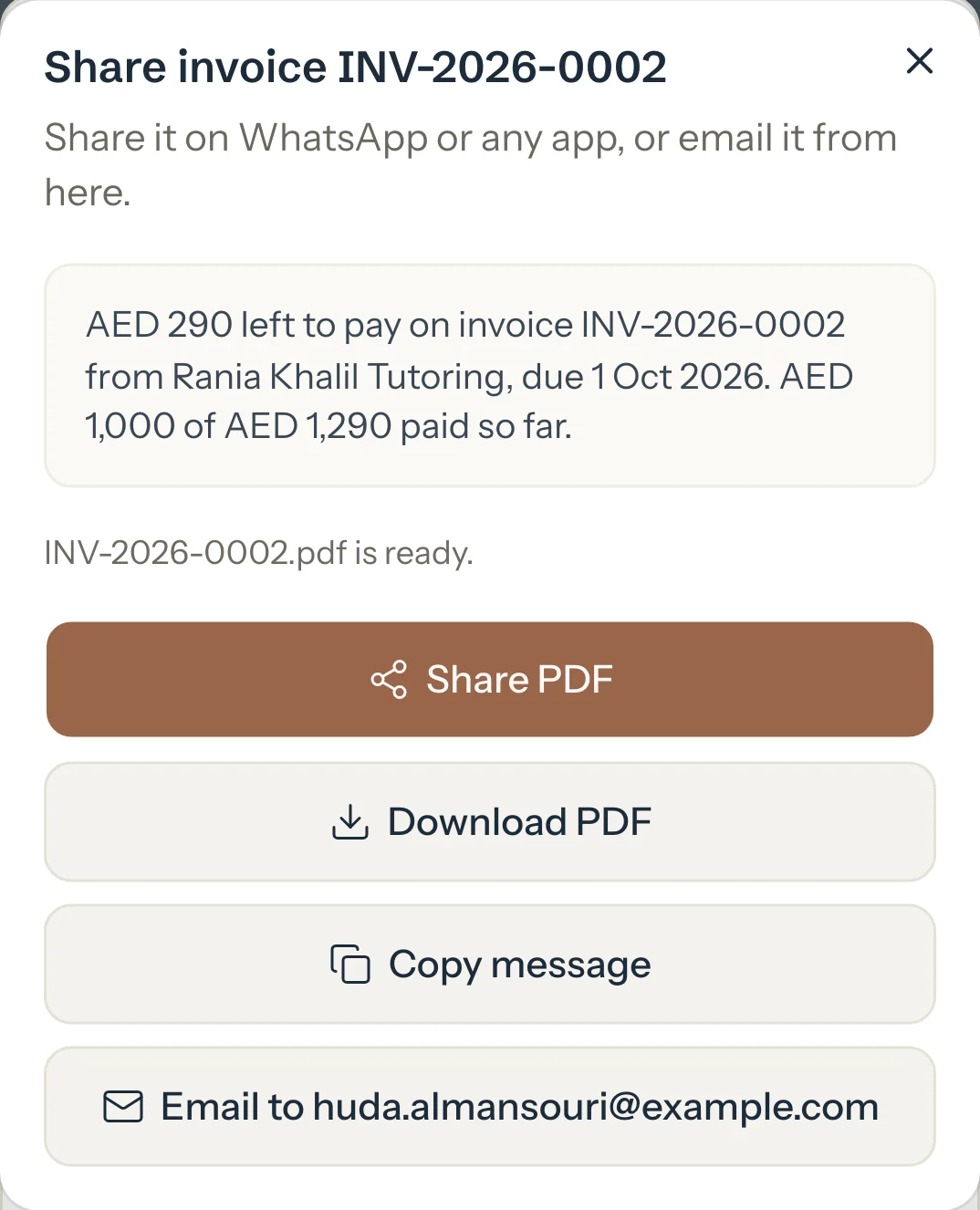
On a phone, press Share PDF and choose WhatsApp, or any other app.
The PDF and the message go together.
Or press Download PDF to keep the file, and Copy message to paste the message yourself.
To email it from Tutello, press Email to followed by the family's address.
Tutello asks you to confirm first.
Press Send email.
The family gets the email with the PDF attached, and their replies come to you.
An example
The message says one invoice's money as the family's portal shows it:
- Nothing paid yet
- the total and the due date
- Partly paid
- what's left to pay, and what's paid so far
- Paid
- a receipt with the day it was paid
"AED 290 left to pay on invoice INV-2026-0002 from Rania Khalil Tutoring, due 1 Oct 2026. AED 1,000 of AED 1,290 paid so far."
What parents see
- The invoice is already in their Billing from the moment you saved it. Sharing is how you tell them.
- The message, the PDF and the email show the same figures as their portal.
Good to know
- Opening Share or saving an invoice sends nothing. Only Send email sends anything, and only when you press it.
- The email goes to the family's own email addresses, never to a student in the family. An adult learner gets it at the email they use for their portal.
- Copy link copies a link that opens the invoice in the family's portal after they sign in. It needs a parent with portal access.
- If a name has characters the PDF can't show, for example Arabic letters, press Print or save as PDF instead: see If a PDF won't download.
- With Auto-send on, automatic invoices are emailed by themselves.
If something's not right
"This family has no email address on file."
Add one with Edit on the family's page, or press Share PDF and send it on WhatsApp.
"Couldn't open the share sheet. Download the PDF instead."
This browser can't share files. Press Download PDF, then attach the file in WhatsApp.
"This invoice was just emailed. Wait a minute before sending it again."
It went out a moment ago. Check with the family before you send it again.
Related
Still stuck? Email support@tutello.ae.