Invoice a family automatically
Per session, weekly, every 2 weeks or monthly, Tutello makes the invoice for you.
For tutors. Updated October 2026.
Where to find it
Families, the family, then Invoice settings
An independent student's page has the same Invoice settings.
Steps
Open the family's page and find Invoice settings.
Under Mode, choose Automatic.
In Frequency, choose Per session, Weekly, Every 2 weeks or Monthly.
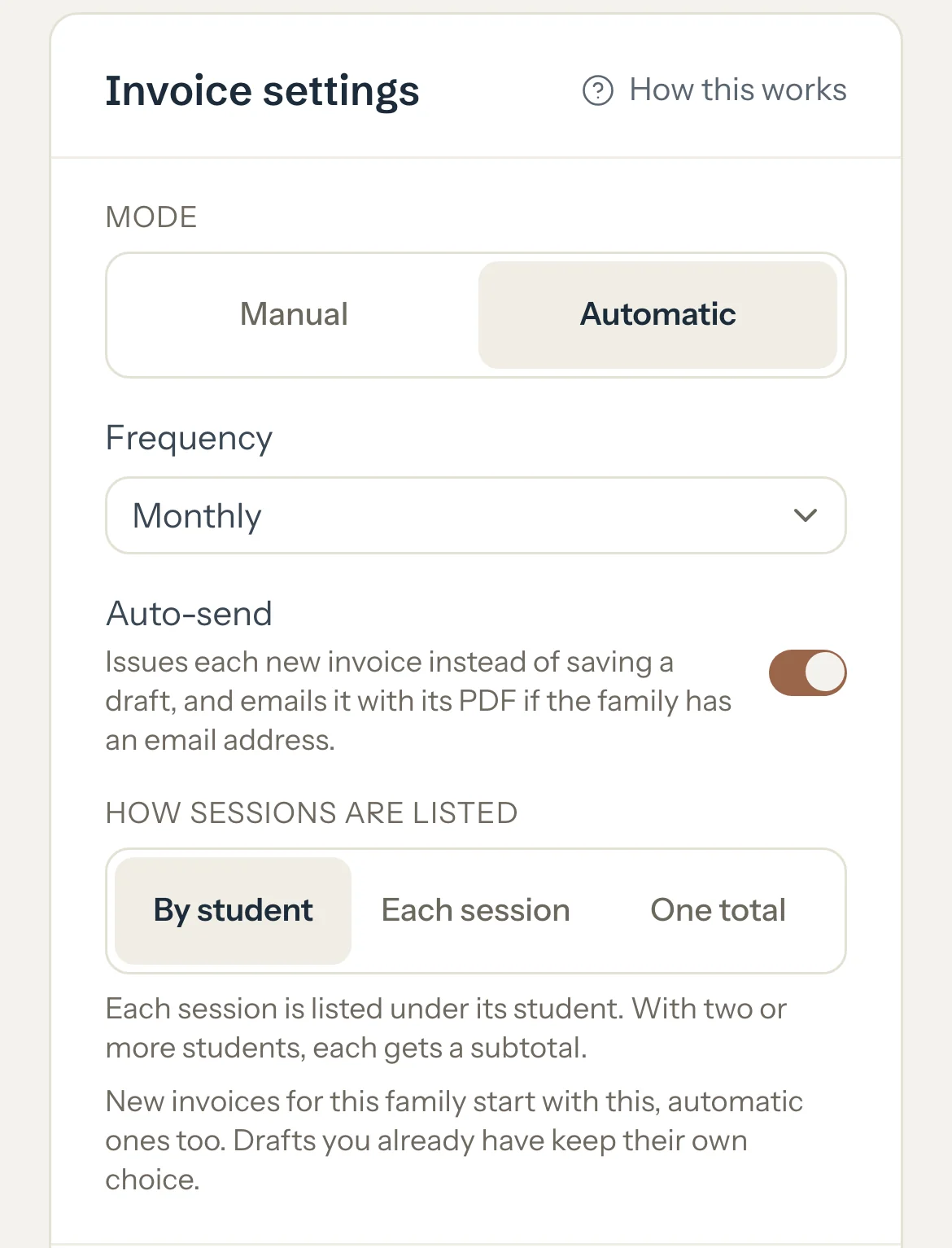
Optional: Switch on Auto-send to issue and email each invoice as it's made. Leave it off to get a draft you check first.
Optional: Choose How sessions are listed on this family's invoices.
Each change is saved as you make it.
An example
The Chen family is on Automatic, Monthly, with Auto-send on. On 1 October, Tutello issues one invoice for Lucas's September sessions and emails it with its PDF to Wei:
- 1 Sep, 1 h 30 min
- AED 300
- 8 Sep, 1 h 30 min
- AED 300
- 15 Sep, 1 h 15 min
- AED 250
- 22 Sep, 1 h 30 min
- AED 300
- 29 Sep, 1 h 30 min
- AED 300
- Total
- AED 1,450
Good to know
- Once a day, Tutello takes the family's completed sessions, late cancellations and no-shows that aren't on an invoice yet, from before the current period, and puts them on one invoice.
- Monthly invoices the month before on the 1st. Weekly weeks start on Sunday. Every 2 weeks uses fixed two-week periods. Per session makes one invoice for each session at the next daily run after you mark it.
- Without Auto-send, each invoice is a draft: only you see it until you open it and press Save.
- With Auto-send, the invoice is issued straight away and emailed to the family's email addresses. A family with no email address gets no email, and the invoice still shows in their portal.
- Sessions still marked Scheduled wait until you mark them. A session is never invoiced twice.
- Automatic invoices never take a discount. To give one, keep the draft (Auto-send off) and add it before you press Save.
- If you cancel an automatic invoice, its sessions go on the next automatic invoice unless you invoice them yourself first.
If something's not right
No automatic invoice was made.
The sessions may still be marked Scheduled, already be on an invoice, or belong to the current period: a Monthly family's September sessions are invoiced on 1 October.
An automatic invoice wasn't emailed.
Auto-send was off, so it's a draft waiting for you, or the family has no email address. Send it yourself from the invoice with Share. See If an automatic invoice wasn't emailed.
Related
Still stuck? Email support@tutello.ae.