Take a percentage off an invoice
Add a discount on a new invoice or a draft; it shows as its own line above the total.
For tutors. Updated October 2026.
Where to find it
- On a phone
- Billing, then New invoice
- On a computer
- Invoices, then New invoice
On a draft, press Discount on its page.
Steps
Start a new invoice and tick the sessions.
In Discount, type the percentage, for example 10 or 12.5.
On a computer, the Summary shows the Subtotal, the discount and the new Total. On a phone, the bar at the foot shows the new total and how much is off; Review invoice shows the Subtotal.
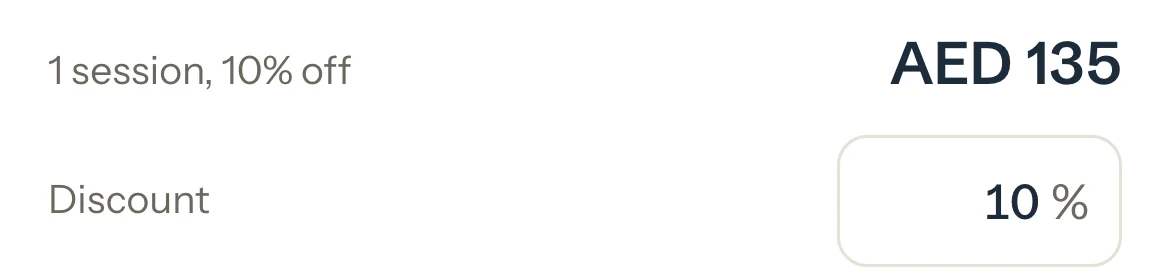
Press Save, check Review invoice, and press Save again.
Optional: To add or change it on a draft, open the draft, press Discount, type the percentage and press Save discount. Leave it empty to take it off.
An example
The Al Mansouri family has two children, so you take 10% off their invoice:
- Subtotal
- AED 1,345
- Discount 10%
- -AED 134.50
- Total
- AED 1,210.50
What happens next
- Each session stays at its full value on the invoice; the discount is its own line above the total.
- Once the invoice is saved, Earned counts the discount: AED 134.50 less here. A draft changes nothing yet.
What parents see
- The invoice and its PDF show the Subtotal, Discount 10% and the total. Their balance counts the discounted total.
Good to know
- Any percentage up to 100, with up to two decimals, for example 12.5. The amount is rounded to the nearest fils or cent.
- Once an invoice is saved, its discount can't change. To change it, cancel the invoice and make it again.
- Cancelling an invoice drops its discount, and its sessions go back to To invoice at full value.
- Automatic invoices and Completed & paid never add a discount. Keep an automatic invoice as a draft to add one before you save it.
- To charge one session less, type your own total on it instead: Charge your own price for one session.
If something's not right
"Enter a discount from 0 to 100, like 10 or 12.5."
Type a number from 0 to 100 with at most two decimals, for example 12.5. Letters and a third decimal aren't accepted.
"At this total the discount rounds to 0, so it won't apply."
The invoice is too small for that percentage to come to anything. Leave it empty or use a larger one.
Related
Still stuck? Email support@tutello.ae.