Invite a parent on WhatsApp
Create an invite link and share it on WhatsApp, for a parent with no email or one who lives on WhatsApp.
For tutors. Updated October 2026.
Where to find it
Families, open the family, then the Portal access card
Steps
Open the family's page and go to Portal access.
On the parent's row, press Create invite link. If you have their email, press Invite by email: it sends the email and gives you the link too.
The link appears under the row, with Copy link and Share on WhatsApp.
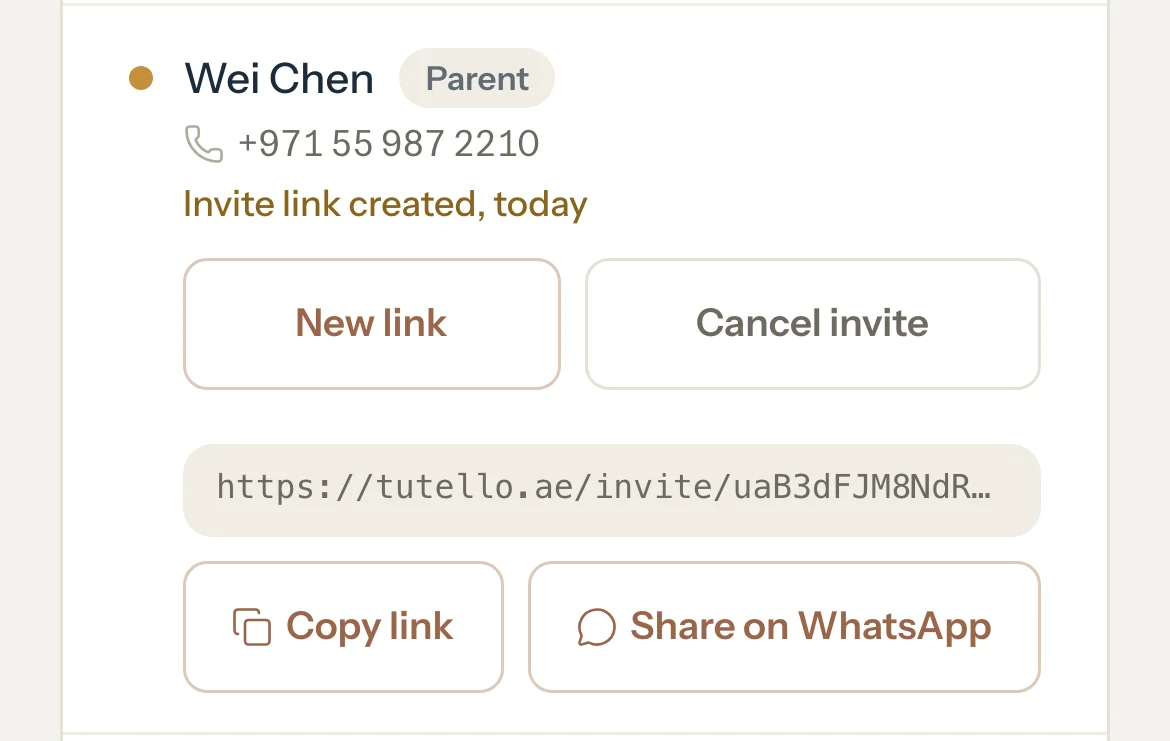
Press Share on WhatsApp.
WhatsApp opens with a message from your business and the link, addressed to the parent's mobile when it's on file.
Press send in WhatsApp.
When the parent opens the link and accepts, their row reads Active.
What parents see
- A message from you: Hi, Rania Khalil Tutoring invites you to the Tutello parent portal to see your schedule and invoices, followed by the link.
- The link opens their invite. They press Sign in to accept, sign in with Google, an email link or a password, and accept.
Good to know
- Tutello sends no text messages and has no access to WhatsApp. It only opens WhatsApp with the message ready; you press send.
- Whoever accepts the link gets the parent's access, so share it only with the parent.
- An invite link works for 14 days. Until it's accepted, the row reads Invite link created with New link and Cancel invite.
- New link makes a fresh link to share, and the previous link stops working.
- Each parent gets their own link. Making a link for one parent never stops the other parent's link.
- For a student, leave the email box empty and press Create invite link. Their message mentions only the schedule.
If something's not right
The parent says the link doesn't work.
It expired, was cancelled, or a newer link replaced it. If the row still reads Invite link created, press New link and share the new one. If it reads Not invited, press Create invite link, or Invite by email when the family has their email, and share that link.
WhatsApp asks who to send it to.
The family has no mobile on file for that parent. Pick the contact in WhatsApp, or add their mobile to the family first.
Related
Still stuck? Email support@tutello.ae.