Invite a parent by email
Send a portal invite to the parent's email from the family's page; they open the link, sign in and see their portal.
For tutors. Updated October 2026.
Where to find it
Families, open the family, then the Portal access card
An adult learner's page has the same card: see Give an adult learner their own access.
Before you start
The parent's email is on the family. If it isn't, add it with Edit on the family's page, or share an invite link instead.
Steps
Open the family's page and go to Portal access.
Each parent and each student has a row.
On the parent's row, press Invite by email.
The invite goes to the email on the family. The row reads Invited by email, and the link shows under it with Copy link and Share on WhatsApp.
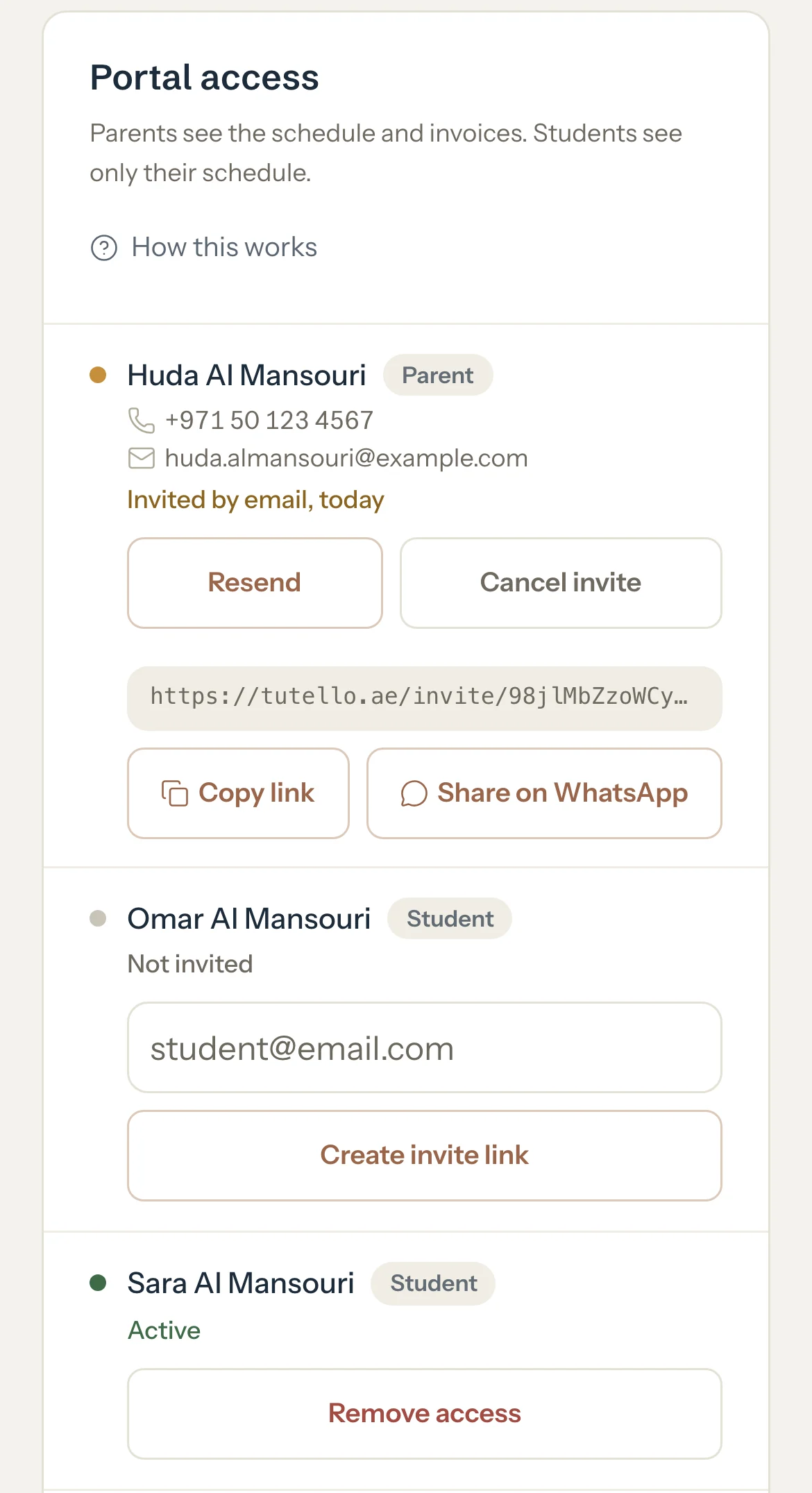
Optional: Send the same link on WhatsApp with Share on WhatsApp, in case the email goes astray.
When the parent accepts, their row reads Active.
What parents see
- An email from Tutello: Rania Khalil Tutoring invited you to their Tutello portal, with a link to accept and the day it expires.
- The link opens their invite. They press Sign in to accept, sign in with Google, an email link or a password, and accept. If their account has no mobile yet, they're asked for it.
- The family then shows in their portal: the schedule, the notes you share, the balance and the invoices.
Good to know
- Whoever opens the link and accepts gets the access, whatever email they sign in with. Send it only to the parent.
- The parent can also sign in with the invited email and accept it from their portal, without the link.
- An invite works for 14 days. After that the row reads Not invited again, and you can invite them again.
- Resend sends a new email with a new link. The old link stops working.
- The link shows under the row only right after you invite. To get it again later, press Resend.
- You can invite both parents at the same time. Each parent has their own invite, and inviting one never cancels the other's. Inviting the same parent again replaces their earlier invite.
- To invite a student in the family, type their email in the box on their row and press Invite by email. They see their schedule, the notes you share and, when you allow it, their own report cards, never money.
If something's not right
The parent didn't get the email.
Ask them to look in spam. Or press Resend, and send the new link with Share on WhatsApp too.
You fixed the parent's email after inviting them.
Their row reads Not invited again. Press Invite by email to send the invite to the new address. The invite to the old address stops working.
"This family is deactivated. Reactivate it to send invites."
Press Edit on the family's page and reactivate the family, then invite them.
"This person has too many open invites from you. Wait for them to answer, or cancel one."
This email already has several invites from you waiting. Press Cancel invite on the ones you don't need, or wait for them to answer.
"You can't invite yourself to your own portal."
That's your own email. To be a parent with your own child's tutor, see Switch between tutor and parent.
Related
Still stuck? Email support@tutello.ae.