Confirm it's the right parent
When a parent found by their mobile accepts your invite, or asks to join, check it's them before they see anything.
For tutors. Updated October 2026.
Where to find it
Dashboard, then Review on the To do card
The family's Portal access card shows the same request.
Steps
On your dashboard, find the To do row that says the parent accepted your invite, or asked to join from their portal. Press Review.
The family's page opens, or the student's for an adult learner. Its Portal access card has a row that reads Accepted, needs your confirmation.
Read Email they signed in with and Name they gave. They typed the name themselves, so it proves nothing.
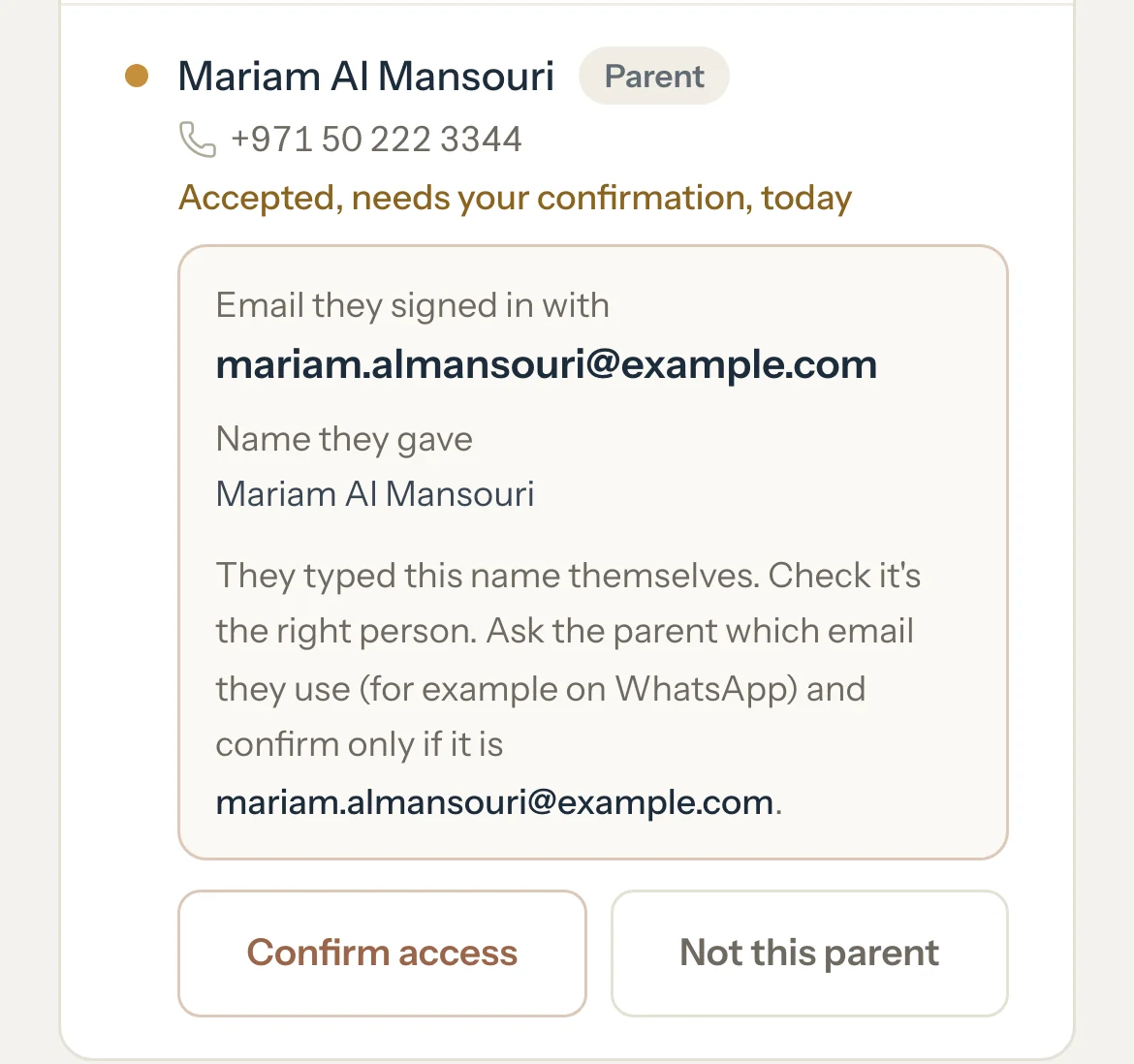
Ask the parent which email they use, for example on WhatsApp, away from Tutello.
If it's the email shown, press Confirm access.
The row reads Active, and the family appears in their portal.
If it isn't, press Not this parent.
Nothing is shared. The row reads Not confirmed and offers the usual ways to invite the right person.
What parents see
- While they wait, their portal says: Accepted. Waiting for Rania Khalil Tutoring to confirm it's you.
- If you press Not this parent, their portal says you didn't confirm it's them, so they weren't added.
Good to know
- Only invites that found an account by mobile wait for you: a By phone invite, a parent found when you added the family, and a parent who asked to join from their portal.
- An email invite or an invite link gives access as soon as the parent accepts. Nobody needs your confirmation then.
- A request a parent made from their portal opens with Tutello hasn't checked who this is. Check the email the same way.
- Not this parent ends that one request only. You can still invite the right person.
- When you added the family from the Check step, confirming fills in the family's empty contact details from the parent's account.
- If the family is deactivated, the request keeps waiting until you reactivate the family and confirm it.
If something's not right
The name looks right but the email doesn't.
Press Not this parent. Anyone can type a name. The email they signed in with is what counts.
Related
Still stuck? Email support@tutello.ae.