Your name, business name, currency and timezone
What each one changes, and why the currency can't change once a session is marked or an invoice or payment exists.
For tutors. Updated October 2026.
Where to find it
- On a phone
- Settings (tap your initials), then Profile
- On a computer
- Settings, then Profile
Steps
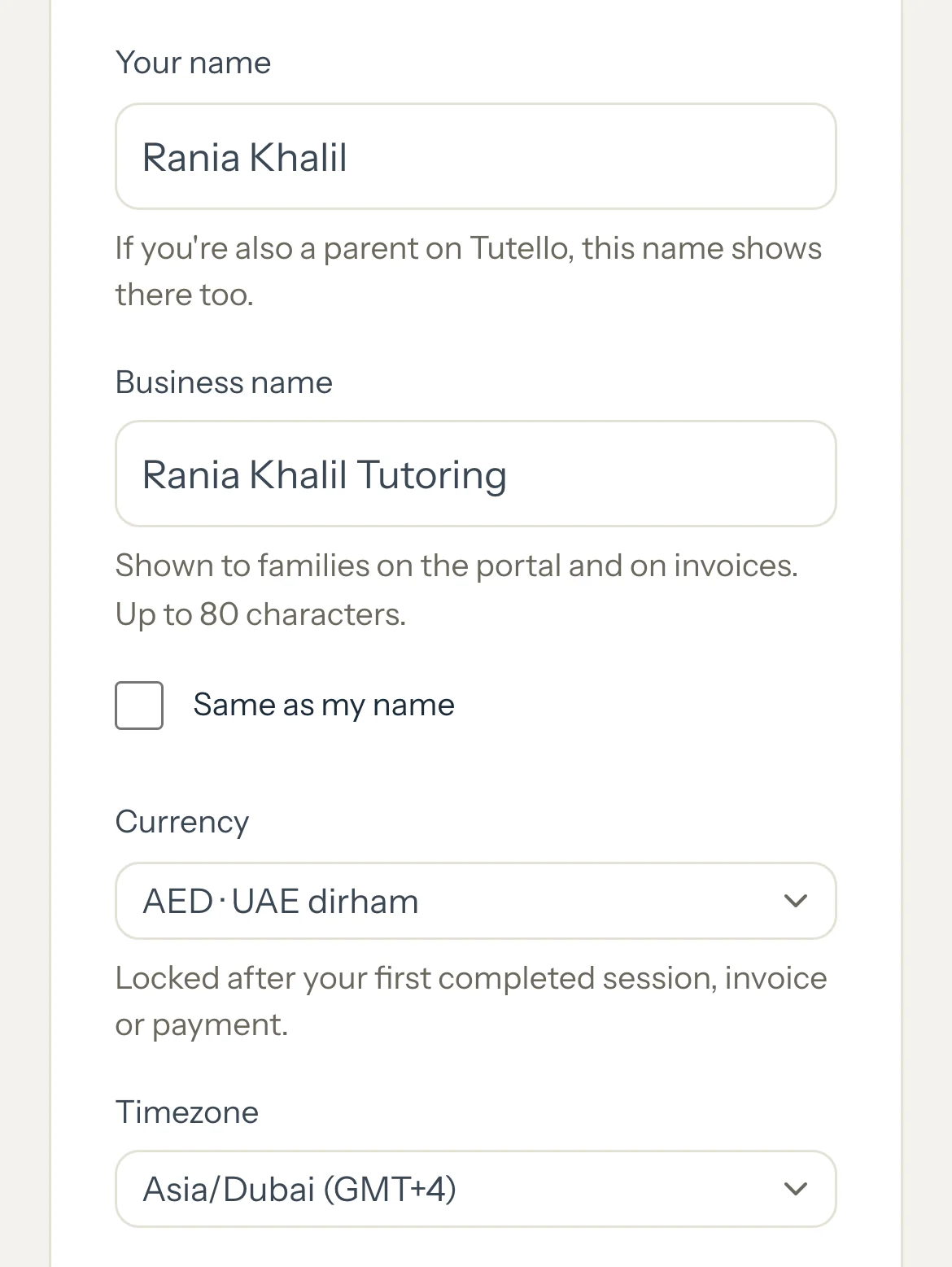
In Your name, type your own name.
If you're also a parent on Tutello, the same name shows in your parent portal.
Leave Same as my name ticked, or untick it and type your Business name.
Families see the business name in their portal and on every invoice.
Choose your Currency. Every amount in Tutello uses it.
Choose your Timezone.
Press Save changes.
Good to know
- Your timezone decides when a day starts: session times, invoice dates, when an invoice becomes overdue, Insights periods and automatic invoicing.
- There are 15 currencies: AED, the other Gulf currencies, EGP, USD, GBP, EUR, INR, PKR, PHP, CAD and AUD.
- Changing the currency never converts amounts. That's why it locks once there's money in your account: AED 1,470 would simply turn into USD 1,470.
- Your sign-in email isn't changed here. To change it, email support@tutello.ae.
- Your default hourly rate and cancellation window are on Preferences.
If something's not right
The currency won't change.
A session has been marked completed, cancelled late or a no-show, an invoice has been made (even one you later cancelled or deleted), or a payment has been recorded, so amounts already exist in this currency. If it was set wrong by mistake, email support@tutello.ae.
Related
Still stuck? Email support@tutello.ae.