Explore your figures and export them
One table of your figures by family, student, subject, month or weekday, with saved views, a link and a CSV export.
For tutors. Updated October 2026.
Where to find it
Dashboard, then See insights, then the Explore tab
Steps
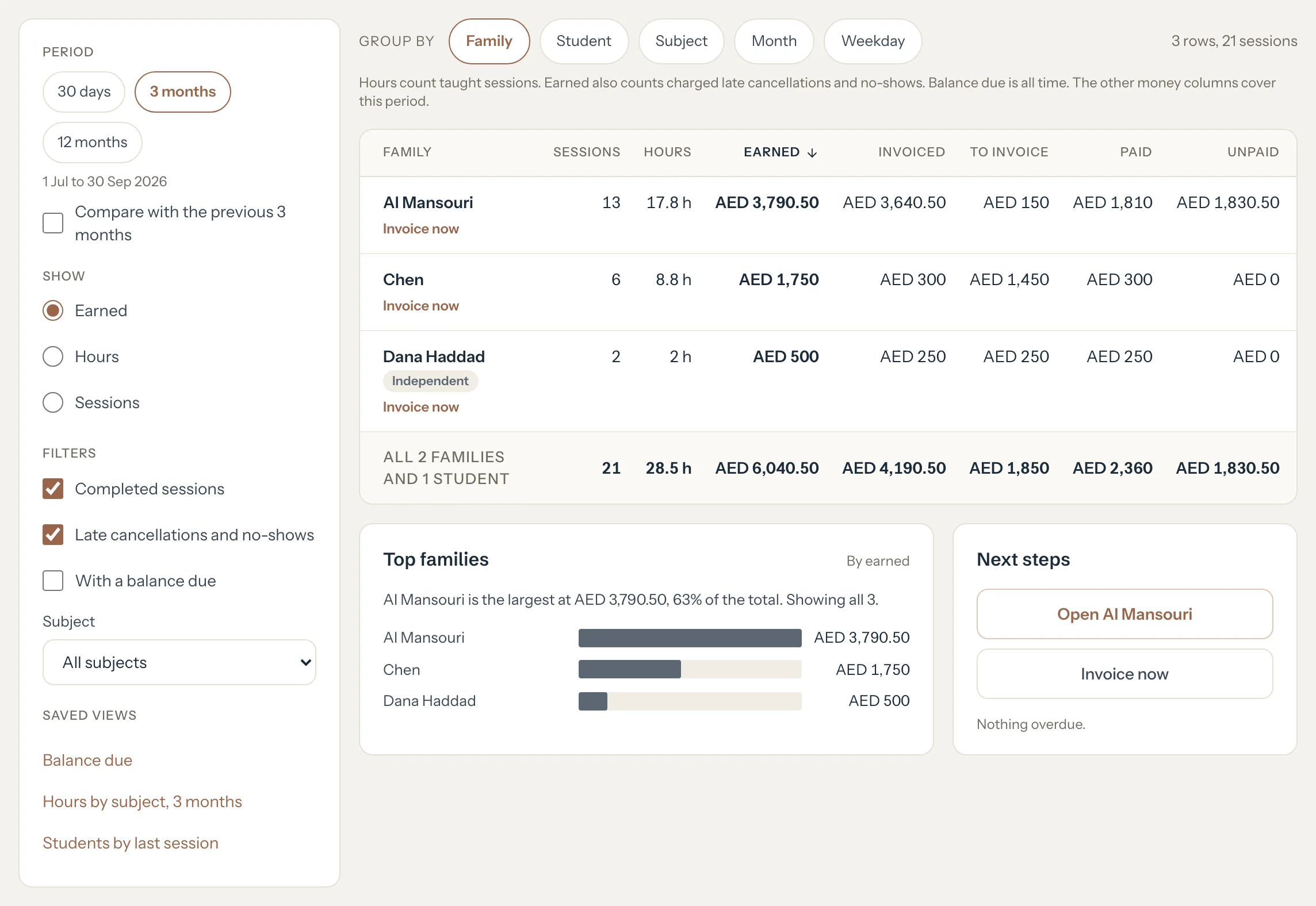
Open Insights and press the Explore tab.
In Group by, choose Family, Student, Subject, Month or Weekday.
Choose the Period, then what to Show: Earned, Hours or Sessions.
Optional: In Filters, keep only Completed sessions or only Late cancellations and no-shows, tick With a balance due, or pick one Subject.
On a phone, the filters fold behind the Filters button.
On a computer, press a column heading to sort the table by it. Press it again to turn the order round.
Optional: Press Save view and give the view a name.
It joins Saved views, next to the three that come with Tutello.
Press Copy link to keep this exact view, or Export CSV to open the table in a spreadsheet.
Good to know
- Three views come ready: Balance due, Hours by subject, 3 months and Students by last session.
- The link holds the whole view. Open it later and you see the same table with today's figures.
- The CSV has every row, even when the page shows only the first ones.
- A student whose family pays reads Family pays in the money columns. Their money sits on the family's row.
- On the Family view, Next steps opens the family in the first row and offers Invoice now for it. Copy overdue list copies who's overdue as plain text; nothing is sent to anyone.
- Only your saved views are stored. The figures are read fresh each time.
If something's not right
"Too many exports this hour. Try again later."
You've exported several times recently. Wait a while, then export again. Copy link works in the meantime.
A student shows Family pays instead of an amount.
Their sessions are invoiced to their family. Group by Family to see the money.
Related
Still stuck? Email support@tutello.ae.