The money words, and how they add up
What Earned, Invoiced, To invoice, Paid and Unpaid mean on your dashboard, and the two sums that tie them together.
For tutors. Updated October 2026.
Where to find it
Dashboard
Insights, Explore and each family's page use the same words.
Steps
Start with Earned: the value of every session you've taught or charged for so far, less discounts on invoices you've issued.
Earned splits in two. Invoiced is the part on invoices you've saved. To invoice is the rest, sessions in drafts included.
Invoiced splits in two again. Paid is the money received toward those invoices. Unpaid is what's left to pay on them.
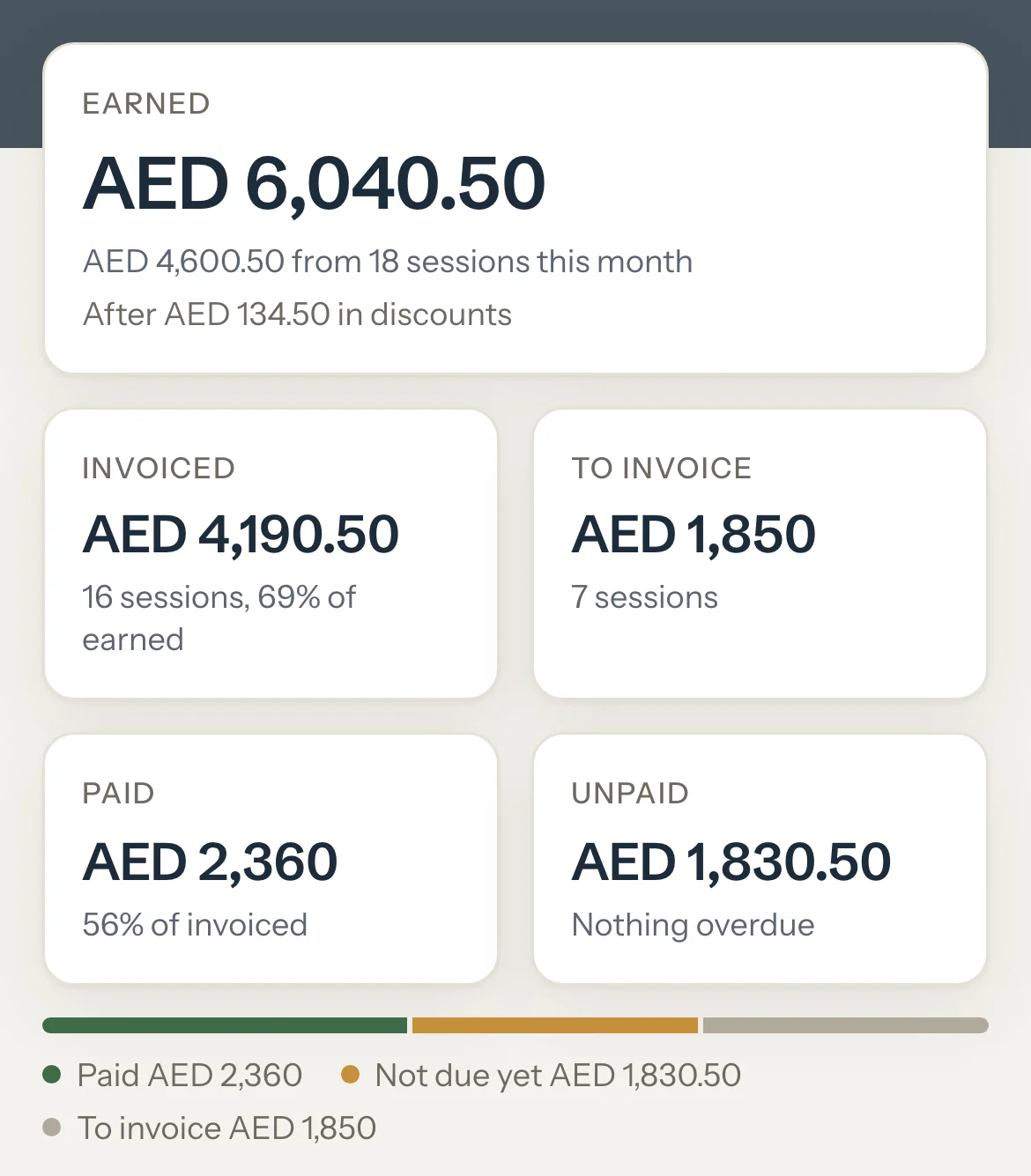
Read the line under Unpaid: how much of it is overdue, or Nothing overdue.
Read the bar under the figures. Paid, Not due yet, Overdue and To invoice sit side by side and add up to Earned.
An example
On a dashboard with AED 6,040.50 earned, AED 2,360 of the AED 4,190.50 invoiced is paid. Invoiced and To invoice add up to Earned:
- Invoiced
- AED 4,190.50
- To invoice
- AED 1,850
- Earned
- AED 6,040.50
What parents see
- Their portal shows Balance due, split into Left to pay on invoices and Not invoiced yet, less any Paid ahead. It's the same figure you see on the family's page.
Good to know
- Paid and Unpaid always add up to Invoiced. With the figures above, AED 2,360 paid and AED 1,830.50 unpaid make AED 4,190.50.
- Overdue is part of Unpaid: the money left on invoices whose due date has passed. It's an amount, never the whole balance.
- Paid ahead is money received beyond what your issued invoices need. On the Detailed dashboard it's never part of Paid, and it counts toward the next invoice. See Money paid ahead.
- Left to pay is what's left on one invoice. Balance due, on a family's page, is all the family owes: its Unpaid and To invoice, less money paid ahead.
- A past session still marked Scheduled isn't earned until you mark it. Cancelled sessions earn nothing; late cancellations and no-shows earn their booked length.
- A discount counts once its invoice is issued. Until then, To invoice shows the sessions at their full value.
- With the Simple dashboard, Paid and Unpaid also cover sessions you haven't invoiced.
- If an invoice's sessions are now worth more than its total, a fifth part, To check, shows the difference. The To do card names the invoice: cancel it and invoice the sessions again.
Related
Still stuck? Email support@tutello.ae.