Use the Simple dashboard
Three figures, Earned, Paid and Unpaid, and one list of who owes you, for tutors who rarely send invoices.
For tutors. Updated October 2026.
Where to find it
- On a phone
- Settings (tap your initials), then Preferences, then the Dashboard card
- On a computer
- Settings, then Preferences, then the Dashboard card
Steps
On the Dashboard card, choose Simple.
It's saved as soon as you choose it. Choose Detailed to go back to the five figures.
Open Dashboard. You see three figures: Earned, Paid and Unpaid, with a bar of Paid, Not due yet and Overdue.
Read the Unpaid list: one row for each family or student who owes you anything, invoiced or not, the most overdue first.
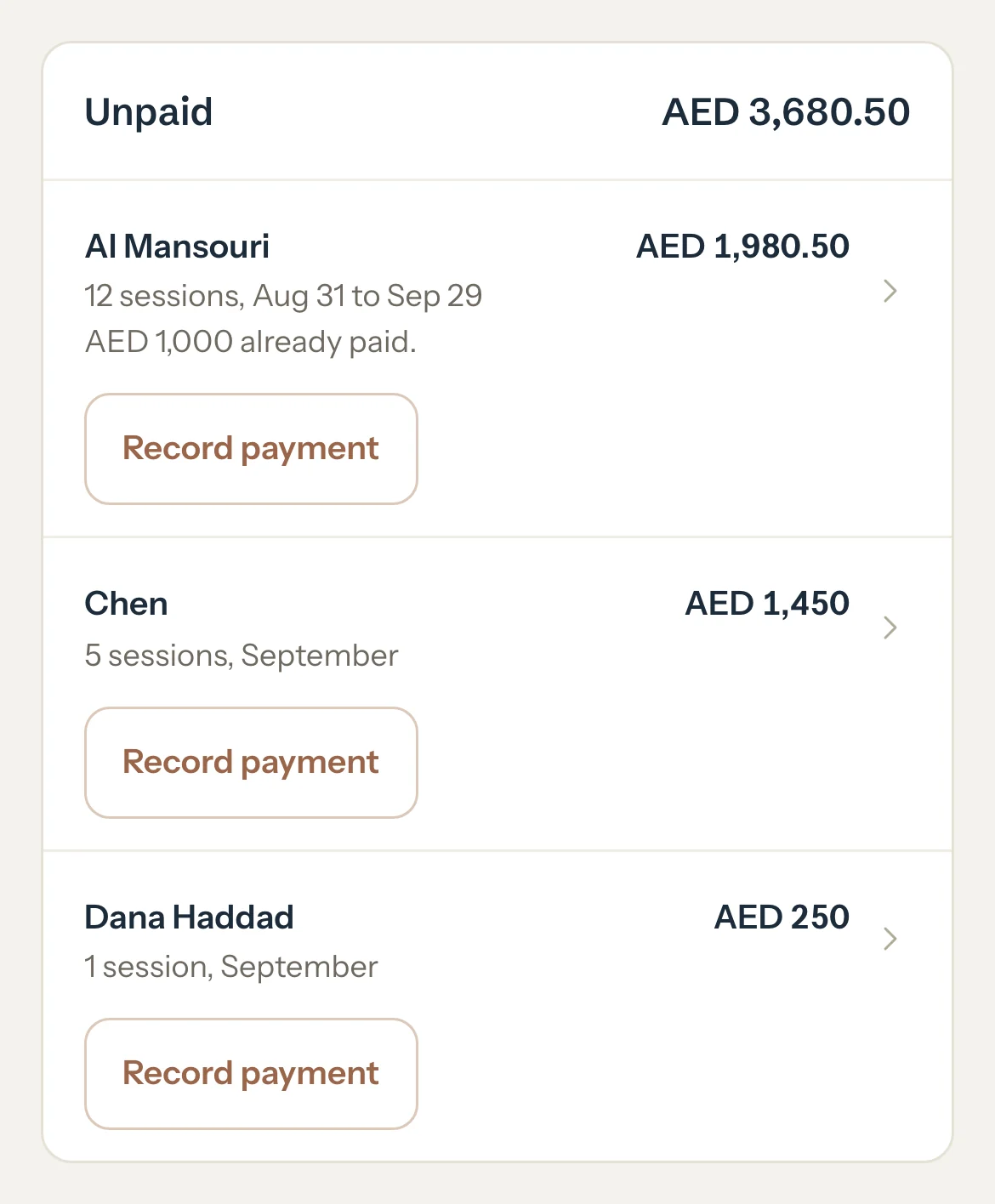
When they pay, press Record payment on their row.
Record payment opens with them chosen and their Unpaid filled in. When you save, you come back to your dashboard.
An example
Paid AED 2,360 and Unpaid AED 3,680.50 make Earned, AED 6,040.50. The Unpaid list adds up to the Unpaid figure:
- Al Mansouri
- AED 1,980.50
- Chen
- AED 1,450
- Dana Haddad
- AED 250
- Unpaid
- AED 3,680.50
What parents see
- Nothing changes for families. Each row's Unpaid is the Balance due they see in their portal.
Good to know
- In Simple, Unpaid is everything you've earned and not been paid for, invoiced or not. In Detailed, Unpaid covers issued invoices only and the rest shows as To invoice.
- Each row's Unpaid is that family's Balance due, the figure on its page.
- Money a family paid beyond what it has earned shows under Paid as paid ahead. It never lowers another family's Unpaid.
- Today and See insights stay as they are. To do leaves out Match rows, because matching changes none of the Simple figures.
- Insights and the family pages keep the five figures. See The money words.
- The choice is saved on your account, so every device you sign in on shows the same dashboard.
If something's not right
A row offers Open instead of Record payment.
That family or student is deactivated, or the money is from before a student moved into a family. Open their page: reactivate them first, or press Earlier invoices, billed directly and record the payment from that invoice.
"This payment counts toward sessions you haven't invoiced."
Nothing they owe is on an invoice yet. Record it anyway: it lowers their Unpaid, and it counts toward the next invoice you save.
Related
Still stuck? Email support@tutello.ae.