What a family's page shows
What the family owes, its students and sessions, how it's invoiced and who can open its portal, on one page.
For tutors. Updated October 2026.
Where to find it
Families, then the family's card
Search families finds one by name. A family you've stopped teaching is under Deactivated.
Steps
Open Families and tap the family's card.
To see what they owe, read Balance due. The line under it splits it into what's unpaid on invoices and what's still to invoice.
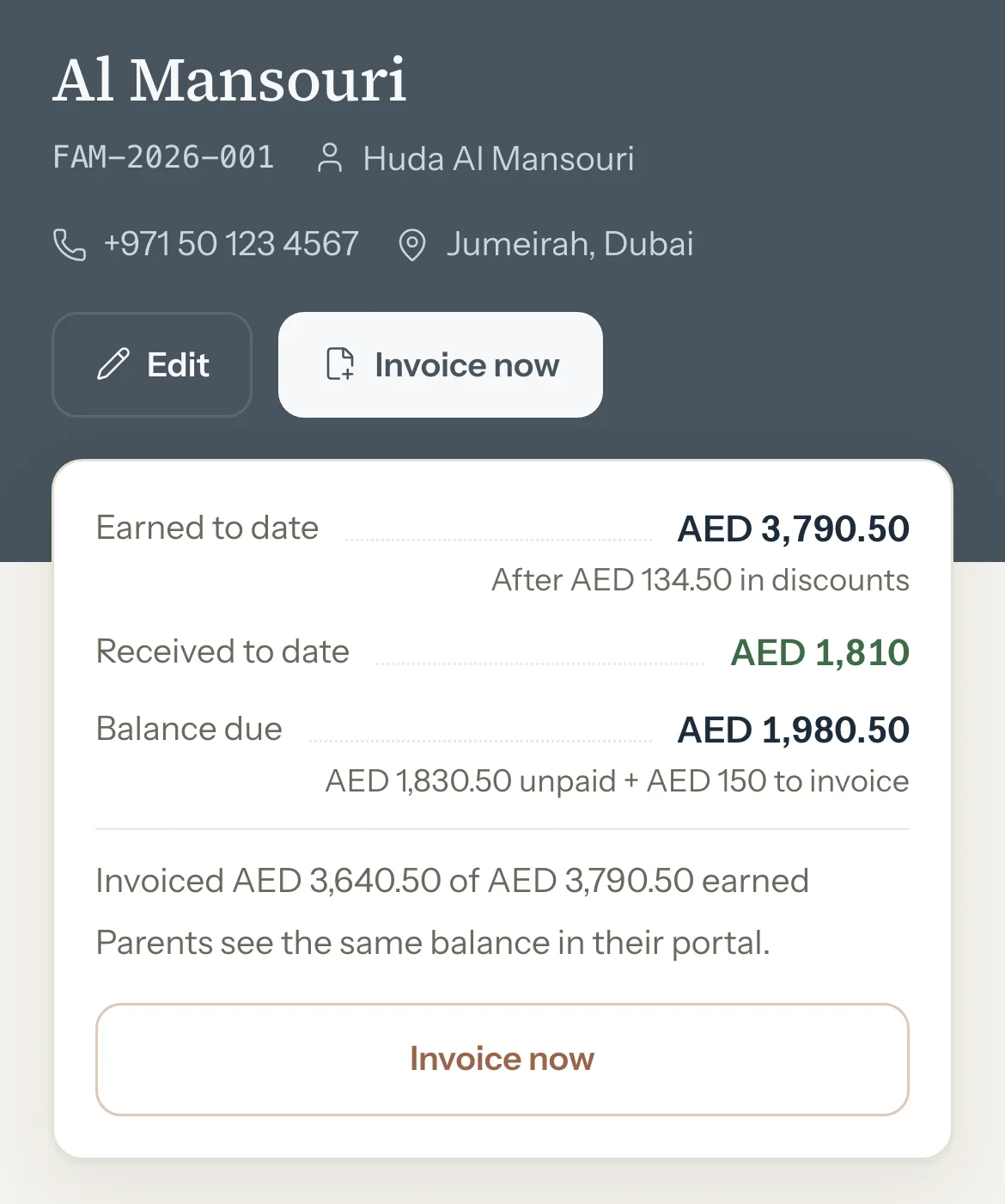
To invoice them, press Invoice now.
A new invoice opens with the family chosen and their sessions listed.
To add a child, press Add student. To see every session, press View all beside Recent sessions.
To change how they're invoiced, or who can open their portal, use Invoice settings and Portal access on the same page.
To change contact details, the second parent or your notes, press Edit, then Save changes.
Optional: Press Stats for their figures over 30 days, 3 months or 12 months.
An example
The Al Mansouri family's page on 30 September:
- Earned to date, after AED 134.50 in discounts
- AED 3,790.50
- Received to date
- AED 1,810
- Balance due
- AED 1,980.50
"AED 1,830.50 unpaid + AED 150 to invoice"
What parents see
- Parents with portal access see the same Balance due as you, split into Left to pay on invoices and Not invoiced yet. When someone has access, the page says so under the figures.
Good to know
- When a family has paid more than it owes, Balance due becomes Credit balance.
- Notes are private: they never show in the family's portal.
- When you stop teaching a family, deactivate it: open Edit and press Deactivate family. Its students are deactivated too and their weekly schedules stop, so the upcoming sessions those schedules added are removed, unless they're on an invoice. Past sessions, invoices and payments stay. Reactivate family brings it back; then reactivate each student from their own page.
- A deactivated family is read-only and has no Invoice now, but what it owes still counts on your dashboard.
Related
Still stuck? Email support@tutello.ae.