Set up your business
The four set-up steps after you sign up: your business, your first family, their weekly sessions and an invite.
For tutors. Updated October 2026.
Where to find it
It opens by itself after you sign up.
Left it halfway? Press Finish setup on the banner to carry on.
Steps
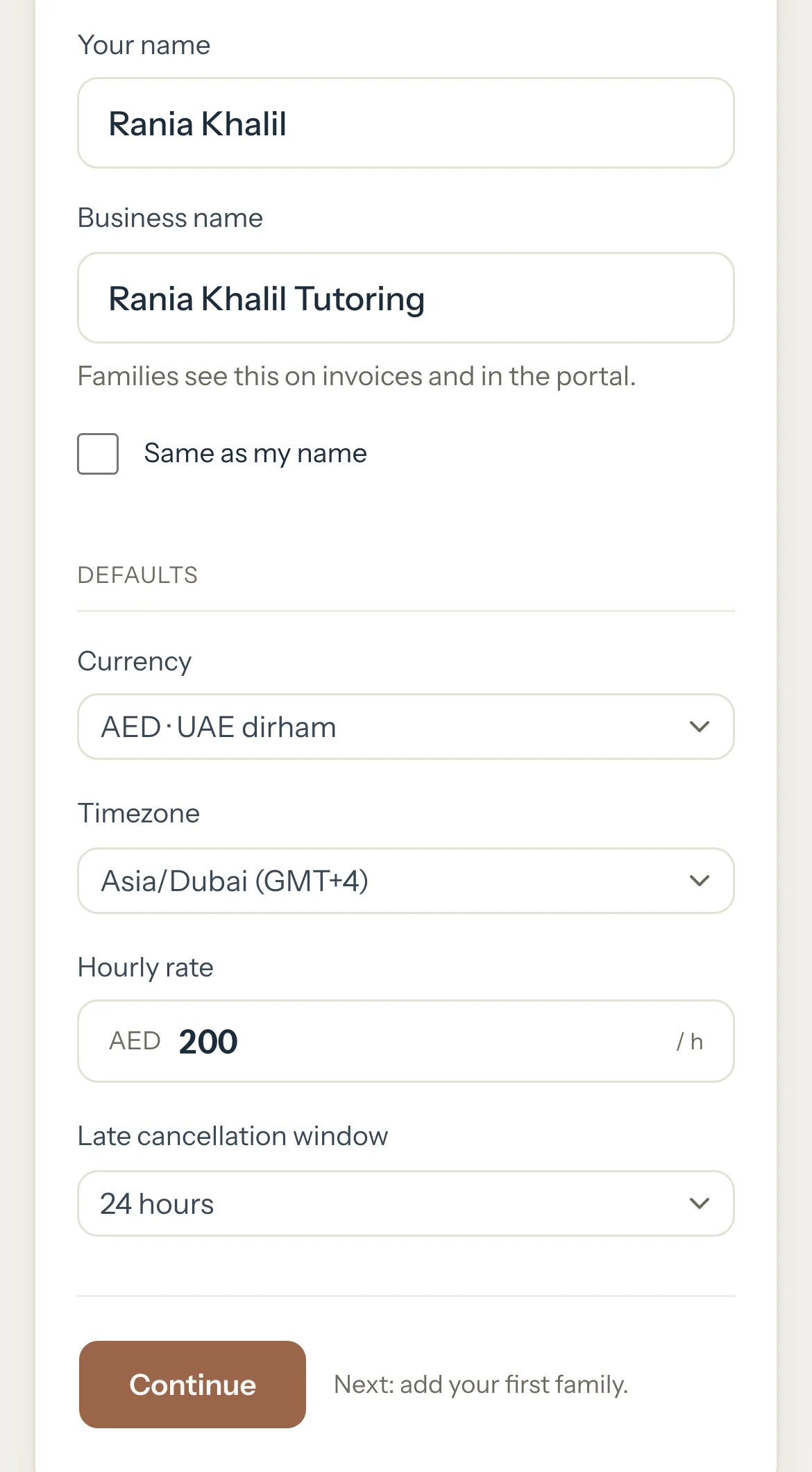
Check Your name. Leave Same as my name ticked, or untick it and type your Business name.
Families see the business name on invoices and in their portal.
Choose your Currency and Timezone, type your Hourly rate, choose your Late cancellation window, then press Continue.
Type the parent's mobile in Parent's mobile number and press Check. To use their email instead, press Use email instead.
When the parent isn't on Tutello yet, the family form opens with the number filled in.
Type the Family name and the Contact name, and the Email if you have it.
Under Students, type each child's Student name and choose their Curriculum and Year, then press Continue. Leave Hourly rate empty to use your own rate.
For each child, choose the Day, Start time and Duration of their weekly session and press Add to schedule, then Continue.
Each session repeats every week, and the next four weeks fill your calendar.
Optional: Invite the parent: check the Parent email and press Send invite, or leave it empty and press Create invite link.
Send the link with Share on WhatsApp, then press Continue.
Press Go to dashboard.
Good to know
- Every step after the first has Skip for now or Skip. Skipping the family ends the set-up there; add families later from Families.
- When the parent already uses Tutello, give the family a name and press Add family. Your invite waits in their portal, and the set-up ends there because the family has no children yet: add them from the family's page. A parent found by their mobile waits for you to confirm it's them once they accept.
- Nothing to pay here: your free trial started when you signed up.
- The set-up runs once. Change the same details later in Settings: Profile for your name, business name, currency and timezone, Preferences for your rate and cancellation window.
If something's not right
"Enter an hourly rate above 0."
Type what you charge for an hour. You can give a student their own rate later: see Set your hourly rates.
"Enter a business name, or tick Same as my name."
Type the name families should see, or tick Same as my name to use yours.
Related
Still stuck? Email support@tutello.ae.