Find your way around the app
Where everything is on a computer and on a phone, including Billing on the bottom bar.
For tutors. Updated October 2026.
Where to find it
- On a phone
- The bar along the foot of the screen: Dashboard, Calendar, Families, Students and Billing
- On a computer
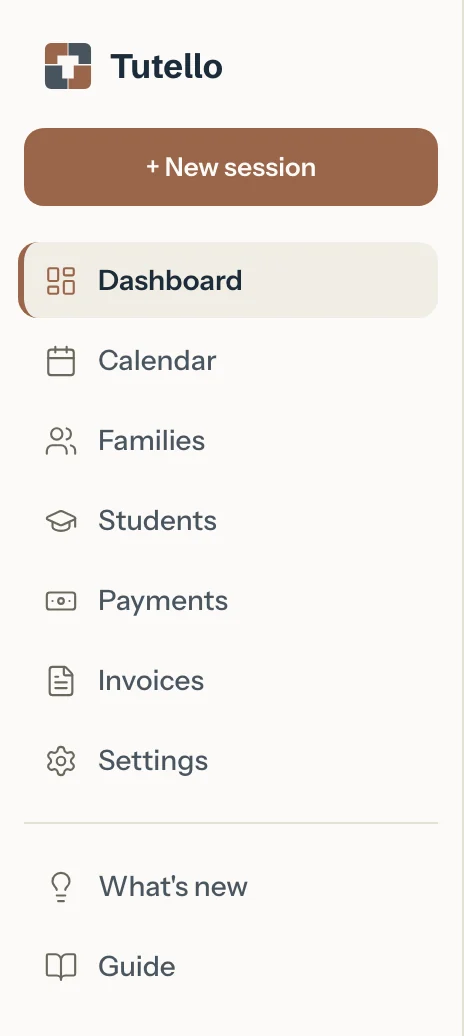
- The sidebar: Dashboard, Calendar, Families, Students, Payments, Invoices and Settings, then What's new and Guide
A tablet held sideways shows the sidebar too.
Steps
On a computer, use the sidebar. Its + New session adds a session from any page.
On a phone, use the bar along the foot of the screen. To add a session, open Calendar and press the + button.
For invoices and payments on a phone, tap Billing, then choose Invoices or Payments.
On a computer the same switch sits on the Invoices page.

For your settings on a phone, tap your initials. On a computer, press Settings.
Settings has three tabs: Profile, Preferences and Billing.
For your figures over time, press See insights on your dashboard.
For what's changed and what's coming, or to share an idea, press What's new: under the sidebar's list on a computer, in Settings on a phone.
For help with any task, press Guide: under What's new in the sidebar on a computer, in Settings on a phone.
Good to know
- A student's page has its own New session, and a family's page its own Invoice now, so you can start from the person instead of the calendar.
- The sign out button sits beside your initials on a phone, and beside your name at the foot of the sidebar on a computer.
- If your own child has a tutor on Tutello, a Parent portal button takes you to your parent side: see Switch between tutor and parent.
- Add Tutello to your home screen to open it like an app.
- While you use report cards, Report cards sits under Students in the sidebar on a computer. On a phone, Students has a Report cards switch at the top.
Related
Still stuck? Email support@tutello.ae.