Read your child's report card
Open a report card from your tutor, switch its labels to Arabic, and keep it as a PDF or a picture.
For parents. Updated October 2026.
Where to find it
- On a phone
- Report cards on the bar along the foot of the screen
- On a computer
- Report cards in the portal's menu
Home shows each child's latest card too, and a link your tutor sends opens it straight away.
Steps
Open Report cards.
A dot on it means there's a card you haven't opened. Each new card reads New.
Press a card to open it.
It shows what your tutor wrote, the topics your child covered and the sessions of that month.
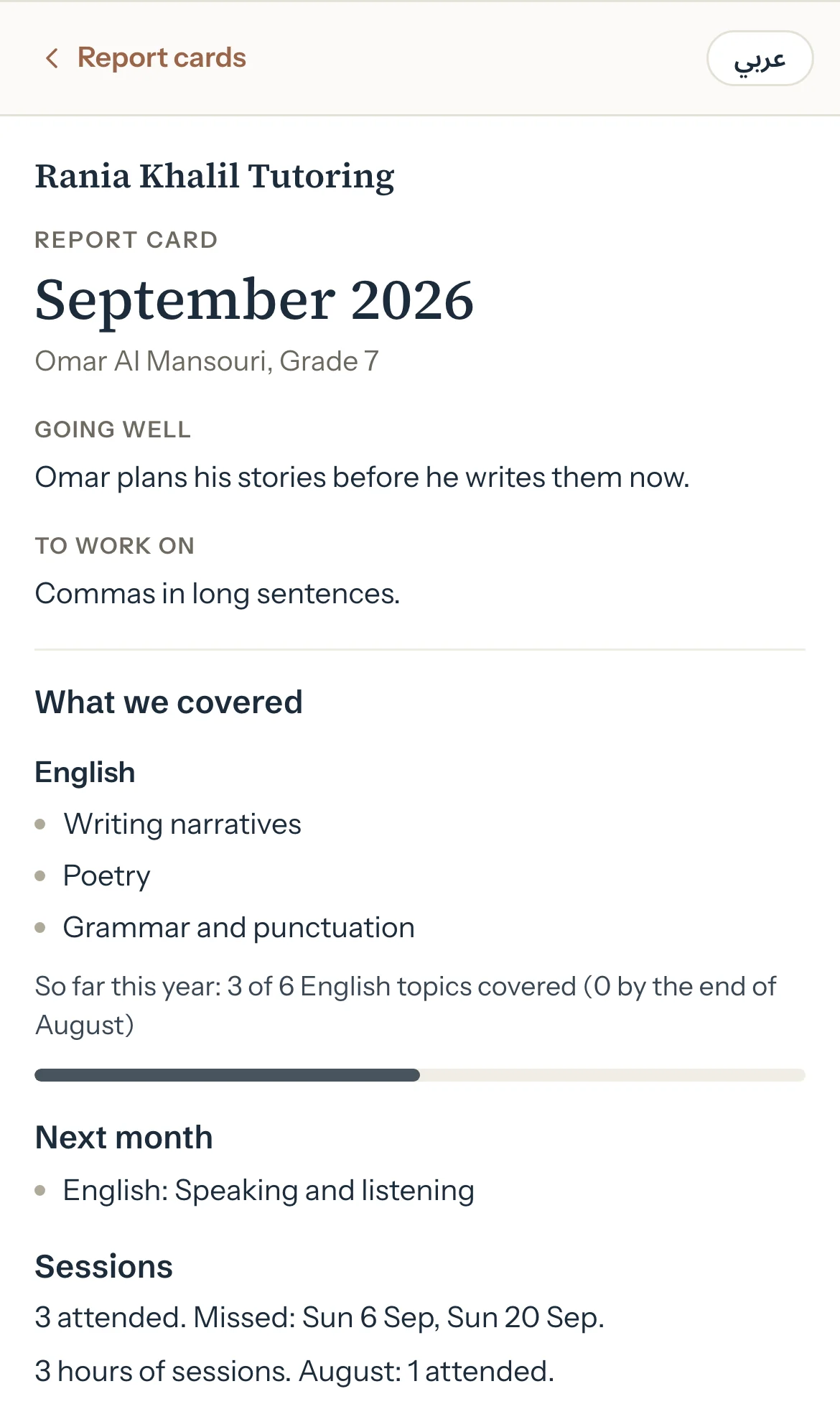
Optional: Press عربي to read the card's labels in Arabic. Press English to go back.
Optional: Press Download PDF to keep a copy.
Optional: Or press Save as image to keep it as a picture, in the language you're reading it in.
Optional: On a computer, press Print to print it.
Good to know
- Tutello never puts amounts, fees or the balance on a card. Cards are about how your child is doing.
- Your tutor's own words stay in the language they wrote them. Only the card's labels change with عربي.
- The PDF always has English labels. A card with Arabic in it has no PDF: Save as image comes first instead.
- A card can be updated after you read it. It then reads Updated with its date.
- When your child can also read the card in their own portal, it says so at the top of the card, under their name.
- With children at two tutors, each tutor's cards sit under their business name. Choose one tutor at the top of the portal to see only theirs.
If something's not right
"This report card isn't available."
The card was deleted, or it isn't for your family. Ask your tutor.
It says your tutor has taken this card down.
Your tutor unpublished it. Ask them if you have questions.
"Too many PDF downloads. Try again in a few minutes."
Wait a little, then press Download PDF again. Save as image works meanwhile.
"Couldn't make the PDF. Use Save as image."
Press Save as image to keep the card as a picture instead.
There's no Report cards in the menu.
Your tutor hasn't published a card for your family yet.
Related
Still stuck? Email support@tutello.ae.