Accept your tutor's invite
Open the link your tutor sent, sign in, accept, and your portal opens with your child's schedule and billing.
For parents. Updated October 2026.
Where to find it
The invite link your tutor sent you by email or WhatsApp
Already signed in? An invite sent to your email also waits on your portal's Home, under Pending invites.
Steps
Open the invite link.
It shows your tutor's business name and what you'll see as a parent: the schedule, billing and shared notes.
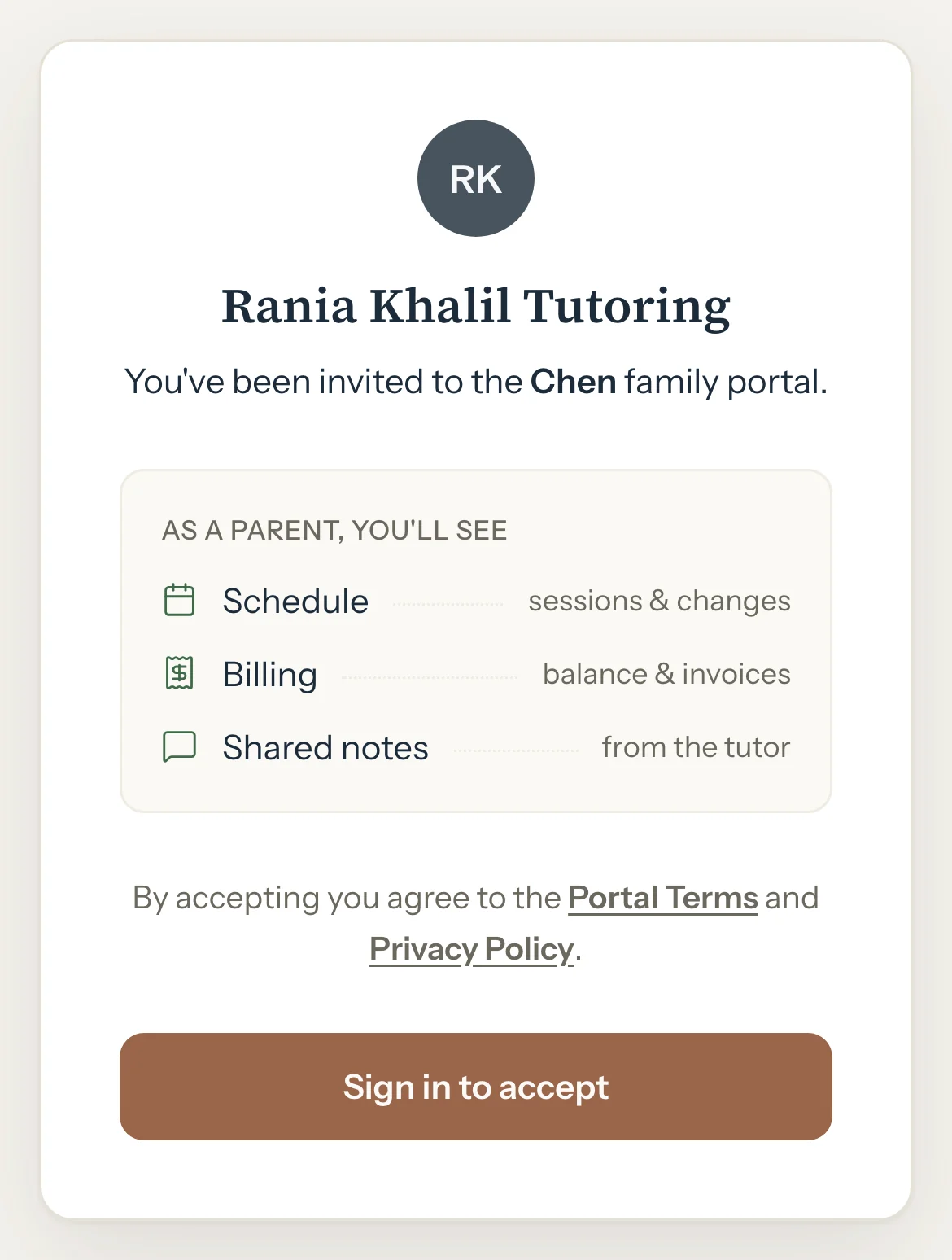
Press Sign in to accept.
The sign-in page opens.
Press Continue with Google, or type your Email, press Send sign-in link and open the link in the email.
You come back to the invite, signed in.
The first time, choose your country and type Your mobile number.
Each mobile number can have only one Tutello account.
Press Accept invitation.
Your portal opens.
Good to know
- Accepting means you agree to the Portal Terms and the Privacy Policy.
- Already use Tutello with another tutor? Sign in with the same email, so both tutors are in one account.
- An invite link works once, for two weeks. Keep it to yourself: whoever is signed in when it's accepted gets the access.
- Already signed in on this phone? The invite skips sign-in, so check it's your own account before you accept.
- If your tutor found you by your mobile number, your portal says you're waiting for them to confirm it's you. You see their schedule and billing once they do.
- Not for you? Press Decline. Nothing is shared.
If something's not right
"This invite link is no longer valid"
It was already used, declined or cancelled, or it's more than two weeks old. Ask your tutor for a new one.
"This mobile number already has a Tutello account. Sign in with the email you used for it."
Press Sign in with another email and sign in with the email that account uses. You come back to the invite. If you share this phone with someone in your family, type your own mobile number instead. Not your account? Email support@tutello.ae.
"Enter a phone number with a country code, e.g. +971 50 123 4567"
Choose your country in the list first, then type the rest of the number.
"This family is no longer active. Ask your tutor."
Your tutor has made this family inactive. The same link works again once they make it active, if it's less than two weeks old.
Related
Still stuck? Email support@tutello.ae.