Share a report card
Send a published card yourself, as a portal link on WhatsApp, a PDF or a picture, with the message and the picture in English or Arabic.
For tutors. Updated October 2026.
Where to find it
A published card, then Share
Share opens by itself right after you publish.
Steps
Open the published card and press Share.
If there's more than one reader, choose who it's for.
A line under it says whether they have a portal login, and when they last opened the portal.
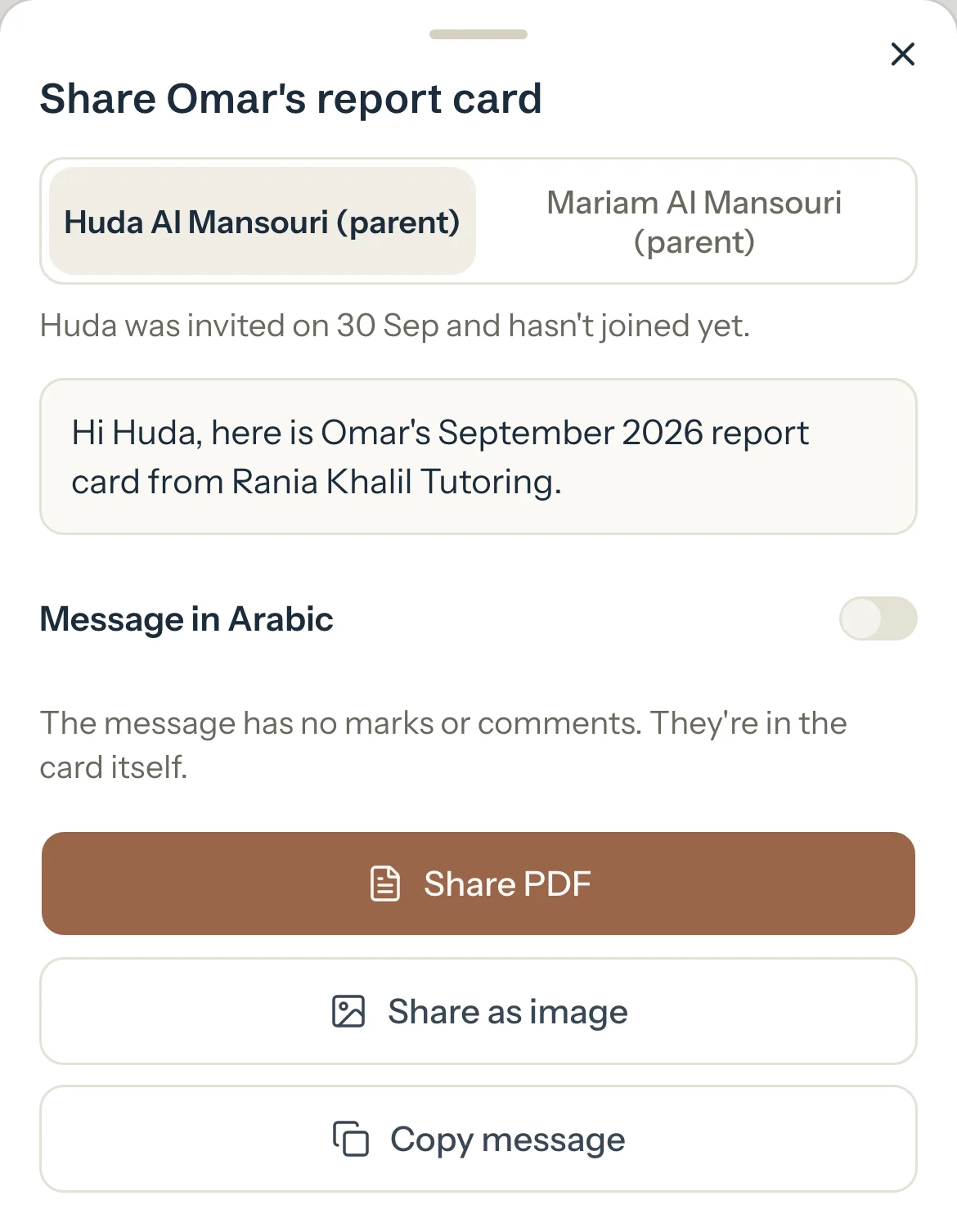
Optional: Turn on Message in Arabic to send the message, and the picture's labels, in Arabic.
Your own words stay as you wrote them.
Press the first button.
It's Send on WhatsApp with the portal link for someone who opened the portal lately, or the PDF for everyone else.
Optional: Or use a button under it: the PDF, the picture (Share as image on a phone, Save as image on a computer), Send portal link when the PDF or the picture comes first, or Copy message.
What parents see
- Your message, then the portal link, the PDF or the picture. The message never has marks or comments: those are in the card.
- The link opens the card in their portal once they're signed in.
Good to know
- Someone who opened their portal, or joined it, in the last 60 days gets the portal link first. Everyone else gets the PDF first. Send portal link shows only for someone with a portal login.
- On a phone, Share PDF and Share as image open your phone's share sheet. On a computer they read Download PDF and Save as image and save the file.
- When you share to a parent and a brother's or sister's card for the same month went up in the last 7 days and hasn't been shared, Share Sara's card in the same message puts both in one message, with one link that opens both.
- The PDF always prints its labels in English. A card with Arabic in it can't be a PDF: the picture comes first instead. See If a report card PDF won't download.
- If the card changed after you published it, the dialog says which version the reader sees, such as Sara sees the version from 2 Nov. Publish the update first if you want them to see the new one.
If something's not right
"Couldn't make the PDF. Try again."
The connection dropped. Press the button again, or send the picture.
WhatsApp opens without the parent chosen.
Their mobile isn't on the family's record. Pick the chat in WhatsApp, or add the number on the family's page.
Related
Still stuck? Email support@tutello.ae.